Google Docs to WordPress: 7 Easy Steps to Publish Faster
Learn how to prepare a blog in Google Docs and move it to WordPress while keeping headings, formatting, images, tables, links and SEO information organized.
Use our free Sitemap Generator to instantly create an XML sitemap for your website. Help search engines crawl and index your pages effectively.
A few reasons this beats hand-building an XML file yourself.
Generates an XML sitemap of your full website in just seconds.
Crawls your entire website and includes every valid internal link.
Helps search engines find and index all your content efficiently.
Instantly download your sitemap in standard XML format, ready to submit to Google.
Still deciding? Here's what people usually ask before running this scan.
A sitemap is a file that contains a list of all the important pages on your website. It helps search engines understand your site structure and crawl your pages efficiently.
Yes, our sitemap generator is completely free. You don't need to register or log in to use the tool.
It can crawl up to 1000 internal links on your website, starting from your homepage and following all internal links it finds.
The tool generates your sitemap in standard XML format, which is accepted by Google, Bing, and other search engines.
Download the XML file, upload it to your site's root directory (or your CMS's sitemap settings), and submit its URL through Google Search Console and Bing Webmaster Tools so both can find it directly.
For best results, yes, regenerate and resubmit after major content changes. Many CMS platforms and SEO plugins can also auto-update a sitemap on publish, which is worth setting up if you publish frequently.
Same free, no-signup approach, pick whichever check you need next.
Guides on sitemaps, crawling, and getting indexed faster.
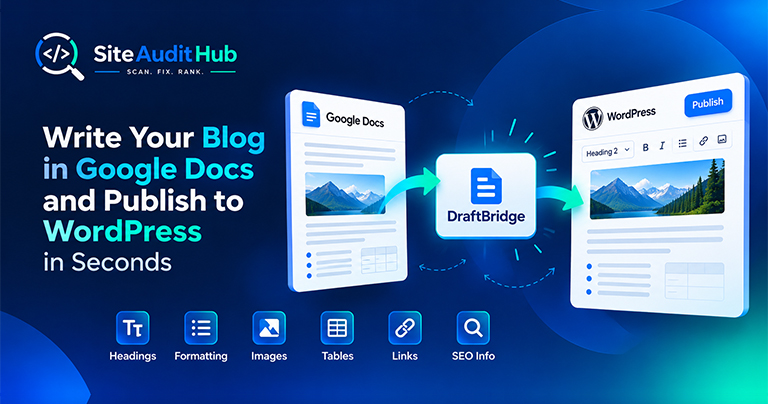
Learn how to prepare a blog in Google Docs and move it to WordPress while keeping headings, formatting, images, tables, links and SEO information organized.

If you run a website, chances are you don’t want people to inspect your code, copy-paste your content, or steal your images. The browser’s Inspect Element (F12) and Right-Click menu make it very easy for users to copy content or view the source code.

Uncover hidden elements silently hurting your SEO. Our Hidden Element Checker finds and fixes these invisible issues before they damage your traffic, rankings, and conversions.
Generate as many sitemaps as you need, always free, nothing saved.
Explore all tools →