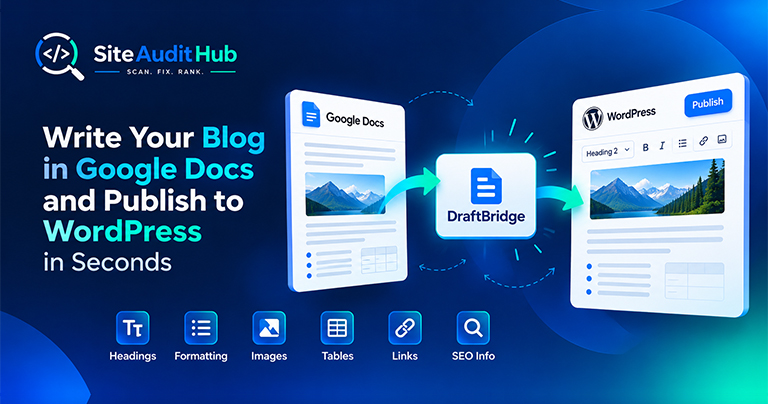
Google Docs to WordPress: 7 Easy Steps to Publish Faster
Learn how to prepare a blog in Google Docs and move it to WordPress while keeping headings, formatting, images, tables, links and SEO information organized.
Enter one URL and get a full site audit in about a minute: on-page SEO, broken links and images, HTTPS and redirects, security and crawling, rolled into one score with a clear list of what to fix first.
Five areas that decide whether a site is easy to find, fast to reach and safe to visit.
Title, meta description, headings, image alt text, canonical, noindex, social tags and structured data on the page you enter.
Tests the links and images on the page and lists any that return an error or point nowhere.
Checks that every version of your domain, with or without www and https, lands on one secure address.
Looks for injected code and backdoor files, and checks SSL, security headers, mixed content and exposed WordPress details.
Confirms Googlebot is allowed to crawl the page and that your XML sitemap is easy to find.
Each area gets its own score and a short list of issues, with a link to the matching tool for the full report.
What the full site audit checks, how the score works, and the order to fix things in.
Most problems that hold a site back fall into five groups. This free website audit runs a quick check in each one and shows them side by side, so you can see the weak spots at a glance.
Each area gets a score out of 100. The overall score is a weighted average, because some problems matter more than others: on-page SEO counts for 30%, security 25%, links 20%, crawling 15% and HTTPS 10%. A letter grade from A to F sits next to the number so it is easy to share with a client or your team.
The score is a guide, not a ranking promise. A page can score 100 and still struggle if its content does not answer what people search for. What the score does tell you is whether technical problems are getting in the way.
Run it once a month, and again after any big change: a new theme, a plugin update, a migration or a redesign. Your browser remembers your recent scans, so running the same audit again takes one click. Keep a copy of each report with Print or save as PDF, and you will have a simple record of how the site improves over time.
The full site audit looks deeply at the page you enter plus your site-wide settings. To cover more pages, follow up with the multi-page SEO check, which crawls up to 12 pages in one go.
Official reference: Google Search Essentials sets out the technical requirements and spam rules every site should meet, and the audit checks many of them for you.
What goes into the combined score, how long the audit takes and which tool to open next.
Yes. There is no signup, no email and no limit on how many sites you audit.
It checks the page you enter in depth, plus site-wide settings like HTTPS, robots.txt, the sitemap and security headers. To crawl more pages, use the SEO Analyzer and Broken Link Checker, which follow internal links.
Each of the five areas gets a score out of 100. The overall score is a weighted average: on-page SEO 30%, security 25%, links 20%, crawling 15% and HTTPS 10%.
Usually between 20 and 60 seconds, depending on how fast your server answers and how many links the page has.
No. The scan runs, the report is shown to you, and nothing is saved on our side. Your browser may remember your recent scans so you can run them again, and you can clear that list at any time.
Start with anything marked red in Security or Crawling, since those can hide your site from search or put visitors at risk. Then work through On-page SEO and Links.
Same free, no-signup approach, pick whichever check you need next.
Reveal elements set to display:none, the kind of cloaking that gets sites penalized.
Try it →Build a clean XML sitemap with real lastmod dates, and check your robots.txt at the same time.
Try it →Shrink JPG, PNG and WebP files right in your browser so pages load faster.
Try it →Guides and breakdowns to help you rank better.
Learn how to prepare a blog in Google Docs and move it to WordPress while keeping headings, formatting, images, tables, links and SEO information organized.
If you run a website, chances are you don’t want people to inspect your code, copy-paste your content, or steal your images. The browser’s Inspect Element (F12) and Right-Click menu make it very easy for users to copy content or view the source code.

Uncover hidden elements silently hurting your SEO. Our Hidden Element Checker finds and fixes these invisible issues before they damage your traffic, rankings, and conversions.
Small fixes add up. Run the audit again after each change to see your score move.
Run a full site audit →