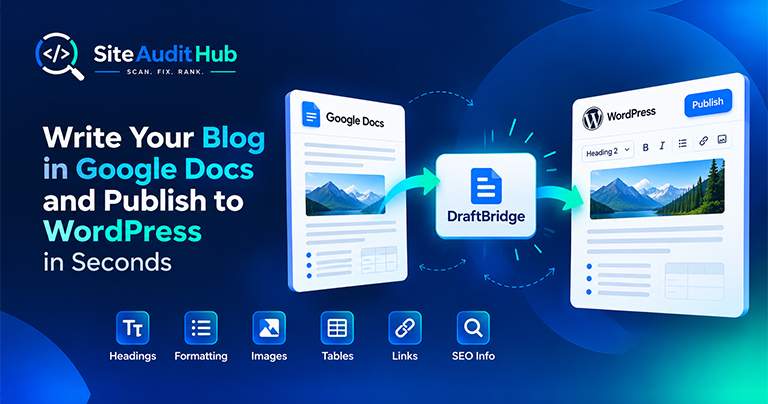
Google Docs to WordPress: 7 Easy Steps to Publish Faster
Learn how to prepare a blog in Google Docs and move it to WordPress while keeping headings, formatting, images, tables, links and SEO information organized.
Enter your homepage URL and this tool checks the on-page basics search engines read first: title tags, meta descriptions, headings, image alt text, canonical tags, noindex settings, social share tags and structured data. It also shows load time and page size, then gives you a plain-English list of fixes.
A quick look at what the scan actually checks and why each one matters.
Flags missing, duplicate, or oversized title tags and meta descriptions before they get cut off in search results.
Shows the full heading outline of each page and warns when levels are skipped, like an H1 followed straight by an H3.
Finds images missing alt attributes, which matter for accessibility and for image search visibility alike.
Spots missing or conflicting canonical tags that can cause duplicate-content confusion for search engines.
Spots pages that tell search engines to stay away, through a robots meta tag or an X-Robots-Tag header, so an important page is never hidden by mistake.
Checks Open Graph and Twitter Card tags, which control the title, text and image people see when your link is shared.
Finds the JSON-LD schema on each page, lists the types it found, and flags blocks that are broken or missing.
Shows how fast the server answered, how heavy the HTML is, and how many internal and external links each page has.
A short guide to running a scan, reading the results and fixing what this free SEO analyzer finds.
Every page is checked against ten on-page basics. These are the things search engines and social apps read first when they decide what a page is about and how to show it.
Each page also gets a short details line with its response time, HTML size, number of internal and external links and the schema types found. Open "Heading outline and social preview tags" under a page to see every heading in order and the exact share tags it uses.
The score is the share of those ten checks a page passes. A check that is present but not quite right, like a title that is too long, counts as half a pass. A green badge means no issues were found. Amber means the page scored 70% or more but still has something to fix. Red means it scored below 70% or could not be loaded, so start there.
A healthy page has one clear title, a meta description that reads like a short pitch, a single H1, alt text on every content image, a canonical tag and enough text to answer the visitor's question. You do not need a perfect 100% on every page, but your homepage, main service or product pages and top blog posts should all come back green. Use this website SEO checker on those pages first, since they bring in most of your search traffic.
Run a scan after you launch a new site, change your theme or publish a batch of new pages, because these are the moments when tags go missing without anyone noticing. A monthly check is enough for most sites after that.
This on-page SEO checker covers what you can fix in the page itself. It shows server response time, but it does not measure full Core Web Vitals, backlinks or keyword rankings, so use the free SEO analyzer as your first pass and pair it with Google Search Console for the rest. If your scan shows links that fail to load, run the broken link check next. When you are done, use Copy report or Print or save as PDF under the results to share the findings with your developer.
Official reference: Google's SEO Starter Guide covers the same on-page basics in Google's own words, so it is a good companion to the report above.
Answers on what the SEO analyzer checks, how many pages it reads and how to use the results.
It scans your homepage for the on-page issues that most commonly hold back rankings, missing or duplicate meta tags, broken heading order, thin alt text, and explains each one in plain language instead of raw technical output.
Yes, it's completely free, with no registration, login, or credit card required to run a scan.
Missing or badly sized titles and meta descriptions, missing or extra H1 tags, skipped heading levels, images without alt text, missing canonical tags, noindex settings, missing social share tags, missing or broken JSON-LD, thin content, slow server response and very large HTML.
It won't move your ranking by itself, no audit tool can promise that. What it does is show you exactly where your on-page SEO is weak, so fixing those specific issues gives your pages a fair shot at ranking on their actual content.
It checks the URL you submit plus up to 12 internal pages linked from it. For a bigger site, run it again from other key pages to cover more of it.
The current version focuses on technical on-page structure, tags, headings, alt text, canonicals, rather than keyword density. On-page keyword analysis is on our roadmap.
A full SEO audit also covers backlinks, keyword research and full Core Web Vitals. This tool shows server response time and HTML size, but it focuses on the on-page things you can fix in the page itself. Think of it as a fast first pass, not a full audit.
Yes. Under the results you can copy the whole report as text, or print it and save it as a PDF from your browser's print window.
Same free, no-signup approach, pick whichever check you need next.
Guides and breakdowns to help you rank better.
Learn how to prepare a blog in Google Docs and move it to WordPress while keeping headings, formatting, images, tables, links and SEO information organized.

If you run a website, chances are you don’t want people to inspect your code, copy-paste your content, or steal your images. The browser’s Inspect Element (F12) and Right-Click menu make it very easy for users to copy content or view the source code.

Uncover hidden elements silently hurting your SEO. Our Hidden Element Checker finds and fixes these invisible issues before they damage your traffic, rankings, and conversions.
Free for every page you throw at it, with nothing logged after the scan.
Explore all tools →