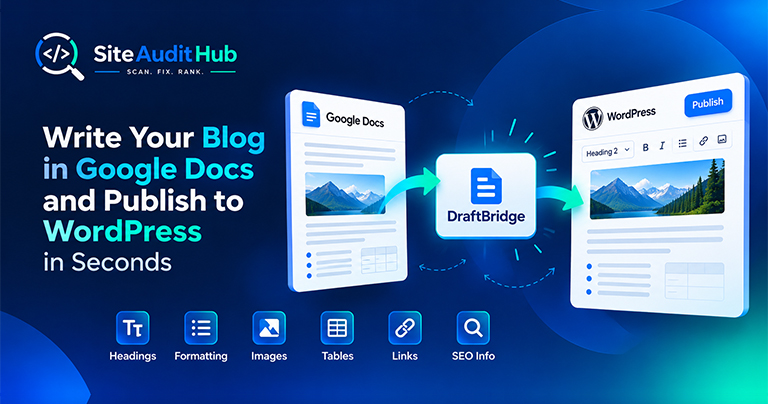
Google Docs to WordPress: 7 Easy Steps to Publish Faster
Learn how to prepare a blog in Google Docs and move it to WordPress while keeping headings, formatting, images, tables, links and SEO information organized.
Check any URL or paste your text to see the word count, the most used words and phrases with their density, and where your focus keyword appears in the title, headings and first paragraph.
See what your page is really about, in numbers.
Analyse a live page or a draft before you publish it.
For URLs, menus, header, footer and code are skipped so the counts reflect the actual article.
Top single words plus the most repeated two-word and three-word phrases, each with count and density.
Shows how often your keyword appears and whether it is in the title, meta description, H1, subheadings, URL and first 100 words.
Flags a keyword that is repeated so often it may read as stuffing.
Word count, unique words, sentence count, average sentence length and reading time.
Find out which words your page leans on, and whether your main topic comes through.
Keyword density is the share of all words on a page that belong to a given word or phrase. On its own it is not a ranking factor, and there is no perfect percentage. What it is good for is a quick reality check: does the page talk about what you think it talks about, and does any phrase repeat so often that it starts to sound unnatural?
The tables list single words, two-word phrases and three-word phrases by how often they appear. Common filler words like "the", "and" and "with" are left out so the real topic words stand out. Phrases are only shown when they appear at least twice. This keyword frequency view makes it easy to spot a phrase you repeat more than you meant to.
A healthy page usually has its main topic near the top of each table, supported by related terms. If the top words are things like your brand name, menu labels or unrelated words, the main content may be thin or the topic unclear.
Even without a keyword, the tool works as a simple word counter with sentence count, average sentence length and reading time. If your average sentence runs past 20 to 25 words, try splitting a few long sentences. Short, clear sentences are easier to read on a phone.
Pair the numbers with your own judgement. Write for the reader first, then use the checker to catch anything missing. For titles and descriptions, the title and description preview shows how your keyword looks in a search result.
Official reference: Google's spam policy on keyword stuffing shows what overused keywords look like to Google, which is a useful check on the numbers above.
What keyword density really tells you, and why there is no perfect percentage to aim for.
There is no magic number. Write naturally and use the keyword where it fits. As a rough guide, a single phrase taking up more than about 3% of all words usually reads as repetitive.
It is the number of words that belong to the keyword, divided by the total number of words, times 100. A two-word phrase used 5 times in 500 words is 2%.
Common filler words are left out so the list shows the words that actually describe your topic.
For URLs it reads the main text and skips navigation, header, footer, forms and code. For pasted text it reads everything you paste, up to 100,000 characters.
Yes, words in any language are counted. The filler word list is English only, so for other languages a few common words may appear in the results.
No. The text is analysed for this one report and not stored.
Same free, no-signup approach, pick whichever check you need next.
Trace redirect chains, catch loops, test a list of old URLs and check your http, https and www setup.
Try it →Look for injected scripts and hidden iframes, and check SSL, security headers and mixed content.
Try it →Reveal elements set to display:none, the kind of cloaking that gets sites penalized.
Try it →Guides and breakdowns to help you rank better.
Learn how to prepare a blog in Google Docs and move it to WordPress while keeping headings, formatting, images, tables, links and SEO information organized.

If you run a website, chances are you don’t want people to inspect your code, copy-paste your content, or steal your images. The browser’s Inspect Element (F12) and Right-Click menu make it very easy for users to copy content or view the source code.

Uncover hidden elements silently hurting your SEO. Our Hidden Element Checker finds and fixes these invisible issues before they damage your traffic, rankings, and conversions.
Run every check on your site in one go with the free full site audit.
Run a full site audit →