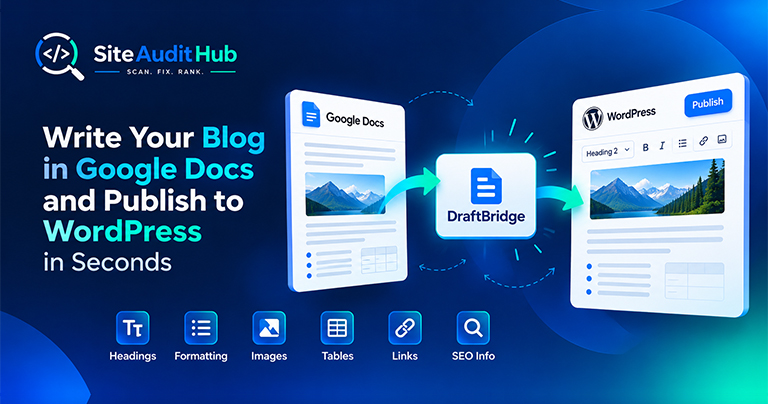
Google Docs to WordPress: 7 Easy Steps to Publish Faster
Learn how to prepare a blog in Google Docs and move it to WordPress while keeping headings, formatting, images, tables, links and SEO information organized.
Check any domain's SSL certificate: whether browsers trust it, which domains it covers, who issued it, the TLS version, the full chain and exactly how many days are left before it expires.
An expired or broken certificate shows visitors a full-page security warning.
Confirms that browsers trust the certificate and that its chain is complete.
Shows the exact expiry date and days left, with a warning under 30 days.
Lists every domain on the certificate and checks that it covers the one you entered.
Shows each certificate in the chain with its issuer and expiry date.
Reports the TLS version and cipher used, and warns about outdated protocols.
Checks that plain http:// sends visitors to the secure https:// version.
Catch certificate problems before your visitors see a security warning.
An SSL certificate lets browsers open a secure HTTPS connection to your site. When it expires, covers the wrong domain or is installed without its full chain, visitors see a full-page warning instead of your site, and most of them leave. Search engines also prefer secure sites, so a broken certificate can hurt traffic in more than one way.
The SSL certificate checker reads the certificate straight from your server, so you see exactly what visitors' browsers see.
The days left figure is the number to watch. Under 30 days shows a warning and under 14 days is marked as a problem. Free certificates, like the ones from Let's Encrypt, last 90 days and are meant to renew automatically, but renewals can fail quietly after a DNS change, a hosting move or a firewall update. A quick check every few weeks, or after any server change, catches this before visitors do.
Once the certificate is fine, the website security scan checks headers, mixed content and other security settings.
Official reference: web.dev's article on why HTTPS matters explains what visitors lose when a site falls back to plain HTTP.
Answers on certificate expiry, covered domains, chain problems and what to do before renewal.
It is a small file on your server that proves your domain's identity and lets browsers create an encrypted HTTPS connection. Without a valid one, browsers show a security warning.
Enter your domain above. The report shows the exact expiry date and how many days are left.
The certificate may be self-signed, expired, issued for a different domain, or installed without its intermediate certificate. Reinstalling the full chain usually fixes the last one.
Yes. Free certificates from Let's Encrypt are trusted by all major browsers. They last 90 days, so auto-renewal must be turned on.
A certificate lists the domains it is valid for. If www.yoursite.com is missing from the list, visitors using the www address will see a warning.
TLS 1.2 and TLS 1.3. Older versions like TLS 1.0 and 1.1 are outdated and blocked by modern browsers.
Same free, no-signup approach, pick whichever check you need next.
Fill in a simple form and get JSON-LD for FAQ, Article, Organization, LocalBusiness or Product.
Try it →Count words and find the terms and phrases a page or text uses most, with the density of each.
Try it →See the status code, redirect hops and every response header a URL sends back.
Try it →Guides and breakdowns to help you rank better.
Learn how to prepare a blog in Google Docs and move it to WordPress while keeping headings, formatting, images, tables, links and SEO information organized.
If you run a website, chances are you don’t want people to inspect your code, copy-paste your content, or steal your images. The browser’s Inspect Element (F12) and Right-Click menu make it very easy for users to copy content or view the source code.

Uncover hidden elements silently hurting your SEO. Our Hidden Element Checker finds and fixes these invisible issues before they damage your traffic, rankings, and conversions.
Run every check on your site in one go with the free full site audit.
Run a full site audit →