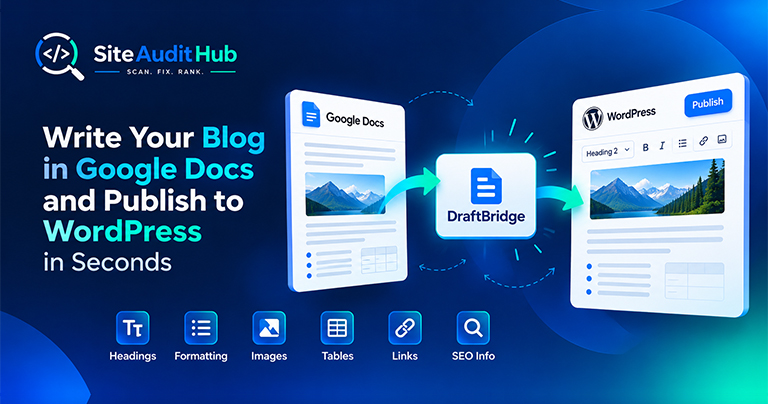
Google Docs to WordPress: 7 Easy Steps to Publish Faster
Learn how to prepare a blog in Google Docs and move it to WordPress while keeping headings, formatting, images, tables, links and SEO information organized.
Build JSON-LD structured data for FAQ, Article, Organization, Local Business or Product pages with a simple form. Copy the code, paste it into your page and test it.
Paste this into the <head> or body of the page it describes. Then test the page with Google's Rich Results Test or the Schema Markup Validator.
Structured data helps search engines understand what a page is about.
FAQ, Article, Organization, Local Business and Product cover most business sites and blogs.
Fill in plain fields and the generator writes valid JSON-LD for you, with empty fields left out.
Missing required fields are flagged right away, before you paste anything into your site.
The output is a complete script tag, ready to paste into your page or a custom HTML block.
Reminders keep your markup within the rules, like only marking up FAQs and reviews that are visible on the page.
Nothing you type is sent to our server.
Create structured data that describes your page correctly, without writing code.
Schema markup is a small block of code that describes a page in a way search engines read easily: this is an article by this author, this is a product at this price, this is a local shop open at these hours. It does not change what visitors see. It helps search engines understand the page and can make it eligible for richer search results. This JSON-LD generator writes the code in JSON-LD, the format Google recommends.
FAQ markup should only include questions and answers that visitors can actually see on the page. Copy them word for word into the FAQ schema generator above. Google shows FAQ rich results for a limited set of sites, but the markup still describes the page clearly, and it does no harm when it is accurate. Do not add FAQ markup to pages where the questions are hidden or made up just for search.
After you add the markup, the on-page SEO scan lists the schema types it finds on each page, which is a quick way to confirm it went live.
Official reference: Google's introduction to structured data explains how Google reads JSON-LD and which rich results it supports.
Which schema types to use, where to paste the code and how to test it before publishing.
It is a standard way to describe a page to search engines, such as "this is a product with this price" or "these are questions and answers". JSON-LD is the format Google recommends.
Not directly. It helps search engines understand your page and can make it eligible for richer results, which may improve clicks. Good content still matters most.
In the <head> or the body of the page it describes. In WordPress, use a Custom HTML block, your SEO plugin's schema settings, or a header code plugin.
Only on pages where the questions and answers are actually visible. Google limits FAQ rich results to certain sites, but the markup still helps describe the page.
Often not for basics like Organization or Article. This generator is useful for extra types your plugin doesn't cover, or for sites without a plugin. Avoid adding the same type twice.
Paste your page URL into Google's Rich Results Test or the Schema Markup Validator. Both are free and show errors and warnings.
Same free, no-signup approach, pick whichever check you need next.
Find dead links and broken images before your visitors, or Google, find them first. Export the list as CSV.
Try it →Trace redirect chains, catch loops, test a list of old URLs and check your http, https and www setup.
Try it →Look for injected scripts and hidden iframes, and check SSL, security headers and mixed content.
Try it →Guides and breakdowns to help you rank better.
Learn how to prepare a blog in Google Docs and move it to WordPress while keeping headings, formatting, images, tables, links and SEO information organized.
If you run a website, chances are you don’t want people to inspect your code, copy-paste your content, or steal your images. The browser’s Inspect Element (F12) and Right-Click menu make it very easy for users to copy content or view the source code.

Uncover hidden elements silently hurting your SEO. Our Hidden Element Checker finds and fixes these invisible issues before they damage your traffic, rankings, and conversions.
Run every check on your site in one go with the free full site audit.
Run a full site audit →