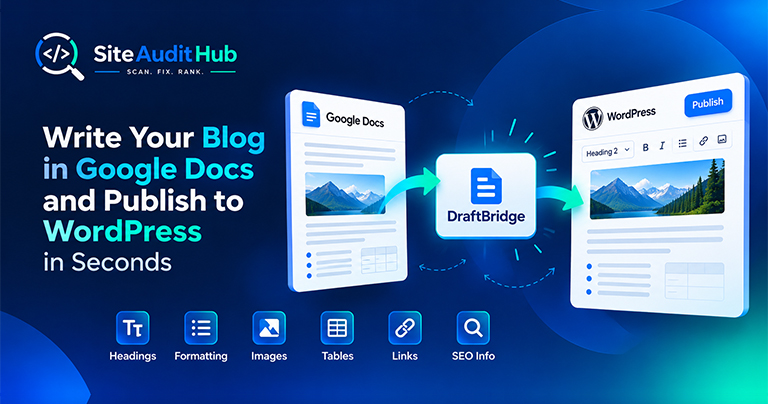
Google Docs to WordPress: 7 Easy Steps to Publish Faster
Learn how to prepare a blog in Google Docs and move it to WordPress while keeping headings, formatting, images, tables, links and SEO information organized.
Test whether a URL is allowed or blocked for Googlebot, Bingbot and AI crawlers using your live robots.txt or rules you paste in. Then build a clean robots.txt with the generator below.
Build a clean robots.txt, then upload it to the root of your site (yoursite.com/robots.txt).
One wrong line in robots.txt can hide a whole section of your site.
A clear answer for any URL, with the exact line that decided it highlighted in your file.
Follows Google's rules: the most specific user-agent group applies, the longest rule wins, and wildcards * and $ work.
Paste your own rules to try a change safely before touching the live file.
Warns about Disallow: / for all crawlers, server errors, missing Sitemap lines and oversized files.
Build a new file with presets for WordPress, online stores and AI crawlers, then copy or download it.
Test as Googlebot, Googlebot-Image, Bingbot, GPTBot, CCBot or any crawler.
Check what crawlers can reach, and write a robots.txt you can trust.

robots.txt is a plain text file at the root of your site that tells crawlers which paths they may visit. It controls crawling, not indexing. A page blocked in robots.txt can still show up in search results without a description if other sites link to it. To keep a page out of search, use a noindex tag instead and leave the page crawlable.
Need a new file instead? Skip to the robots.txt generator further down this page.
The tool follows the matching rules Google publishes. First it finds the group of rules for the most specific matching user agent, so a Googlebot group wins over a group for every crawler. Inside that group, the rule with the longest matching path wins, and when an Allow and a Disallow rule are equally long, Allow wins. The wildcard * matches any characters and $ marks the end of a URL, so Disallow: /*.pdf$ blocks every PDF.
The robots.txt checker above flags most of these automatically whenever you test a URL.
The generator below the tester builds a clean file in a few clicks. Choose whether to allow or block everything by default, list folders to block one per line, add exceptions, and paste your sitemap URL. Presets add the usual rules for WordPress and online stores, and an option adds rules for common AI training crawlers if you do not want your content used for that. Copy or download the result and upload it as robots.txt to the root of your domain, then test a few URLs with the tester above to confirm it works as expected.
After updating robots.txt, the sitemap and robots.txt scan confirms that your sitemap is listed and reachable.
Official reference: Google's introduction to robots.txt explains what the file can and cannot do, including why it is not a way to hide pages.
How crawlers read robots.txt rules, and what blocking a page does and does not do.
It tells crawlers which parts of your site they may visit. It controls crawling, not indexing, so a blocked URL can still appear in search if other sites link to it.
Use a noindex meta tag or X-Robots-Tag header, and leave the page crawlable so Google can see that tag. Blocking it in robots.txt stops Google from reading the noindex.
At the root of your domain, for example https://yoursite.com/robots.txt. Each subdomain needs its own file.
That is your choice. Blocking bots like GPTBot or CCBot stops well-behaved AI crawlers from using your content for training. It does not affect Google Search rankings.
Google renders pages like a browser. If it cannot load your CSS and scripts, it may see a broken page and rank it lower.
A 404 is treated as "everything allowed". A 5xx server error can make Google pause crawling the whole site until the file works again.
Same free, no-signup approach, pick whichever check you need next.
Look for injected scripts and hidden iframes, and check SSL, security headers and mixed content.
Try it →Reveal elements set to display:none, the kind of cloaking that gets sites penalized.
Try it →Build a clean XML sitemap with real lastmod dates, and check your robots.txt at the same time.
Try it →Guides and breakdowns to help you rank better.
Learn how to prepare a blog in Google Docs and move it to WordPress while keeping headings, formatting, images, tables, links and SEO information organized.
If you run a website, chances are you don’t want people to inspect your code, copy-paste your content, or steal your images. The browser’s Inspect Element (F12) and Right-Click menu make it very easy for users to copy content or view the source code.

Uncover hidden elements silently hurting your SEO. Our Hidden Element Checker finds and fixes these invisible issues before they damage your traffic, rankings, and conversions.
Run every check on your site in one go with the free full site audit.
Run a full site audit →