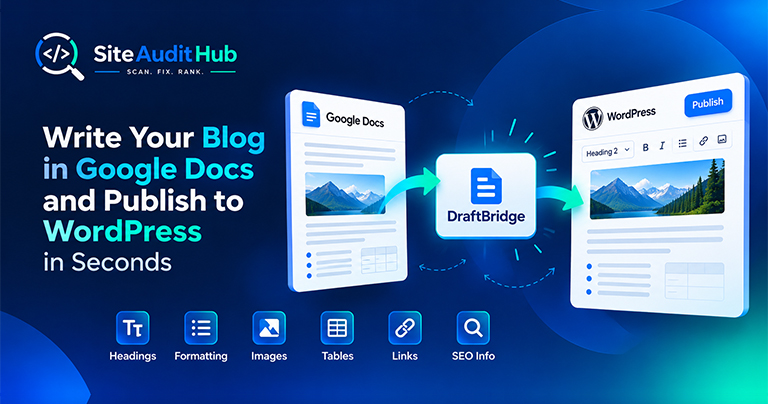
Google Docs to WordPress: 7 Easy Steps to Publish Faster
Learn how to prepare a blog in Google Docs and move it to WordPress while keeping headings, formatting, images, tables, links and SEO information organized.
Paste a URL and the crawler follows every internal link it can find on that page, checking each one's response code. Anything returning a 404, a timeout, or another broken status gets flagged with the exact page it was found on, so you know precisely what to fix and where.
Here's what changes on your site once dead links stop slipping through.
Checks every link found on the page for a working response, catching 404s and dead pages in seconds rather than an afternoon of manual clicking.
A site riddled with dead links signals neglect to both visitors and crawlers. Cleaning them up keeps crawl budget focused on pages that actually work.
Nothing sends a visitor away faster than clicking a link and landing on an error page, fixing broken links directly protects conversions.
Also tests the images on each page, including common lazy-load attributes, and lists any image file that fails to load.
Flags empty or "#" hrefs left behind from templates or half-finished pages, which look broken to anyone who clicks them.
Download every broken link, broken image and placeholder link as a CSV file you can open in Excel or Google Sheets and share with your team.
Everything you need to run the broken link checker, understand the results and clean up dead links.
When you submit a URL, the tool opens that page and collects every link on it, including links that point to other websites. It also collects the images on the page, including lazy-loaded ones, and tests up to 30 image files per scan. It sends a quick request to each link and image and records the response. Then it moves on to the internal pages it found and does the same, covering up to 8 pages and up to 40 links per page in one run. Each scan has a time limit of about 20 seconds, so very large sites are best checked one section at a time.
After you add redirects, run the redirect chain check to make sure each old URL reaches its new page in one step.
Links break quietly. A product gets removed, a blog post gets a new slug, or a menu item still points to an old page after a redesign. Visitors who land on an error page often leave, and search engine crawlers spend time on URLs that lead nowhere.
Running this 404 error checker once a month, and after every migration or theme change, keeps those problems small. Use the broken link checker on your most visited pages first, since a dead link there costs you the most.
Official reference: Google's link best practices explain how Google finds and follows links, which is why fixing dead ones matters.
What to know about crawl limits, status codes and fixing the dead links the checker finds.
A broken link is a hyperlink that no longer resolves to a working page, most often because the destination returns a 404 error, has been deleted, or moved without a redirect left behind.
A high number of broken links signals an unmaintained site to both visitors and search engine crawlers, and each one wastes crawl budget that could go toward indexing pages that actually work.
The scan starts from the URL you submit and follows the internal links found on that page, up to a safe limit per run, run it again from other key pages for broader coverage.
It checks links wherever they appear, in body text, navigation, buttons, and image links, and flags any that return an error response.
Yes, placeholder links like a bare "#" or an empty href get flagged too, since they look clickable to a visitor but go nowhere.
Yes. Images on each page are checked as well, up to 30 per scan, and any image that returns an error is listed with the page it was found on.
Yes. Use Download CSV under the results to get a spreadsheet of every problem found. You can also copy the report or print it as a PDF.
Once after any major content update or migration, and then periodically, monthly is reasonable for an active site, since links to other pages can quietly break over time even if you haven't touched your own site.
Yes. Links to other websites are checked along with your internal links. Some sites block automated checks, so links that return a 'blocked' response are not counted as broken. Open those once in your browser if you want to be sure.
Same free, no-signup approach, pick whichever check you need next.
Guides and breakdowns to help you keep your links clean.
Learn how to prepare a blog in Google Docs and move it to WordPress while keeping headings, formatting, images, tables, links and SEO information organized.
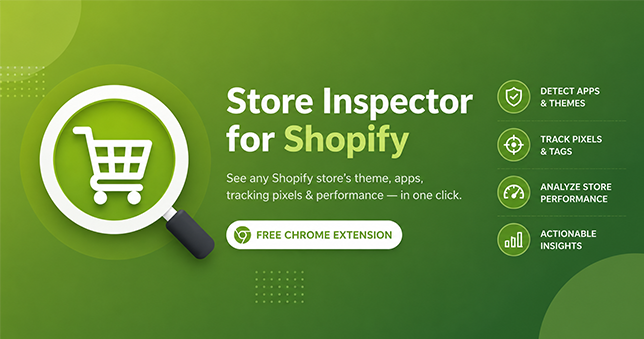
Available now: Install Store Inspector for Shopify from the Chrome Web Store — free, no account required. You land on a Shopify store, and it just works. Clean design, fast checkout, a review widget that actually looks good. So what’s it running? Which theme, which apps, which tracking scripts? Normally you’d have to open dev […]

Juggling a color picker, font inspector, SEO checker, and screenshot tool across five different extensions? DevKit Pro combines all seven into one lightweight browser extension, so every check, measurement, and capture you need is just one click away. Introduction: Too Many Tabs, Too Many Extensions If you build, design, or market websites for a living, […]
Every scan is free, and no URL you check is ever saved on our end.
Explore all tools →