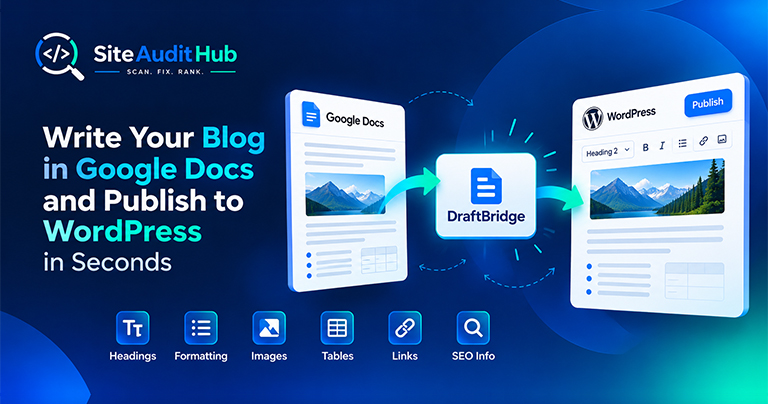
Google Docs to WordPress: 7 Easy Steps to Publish Faster
Learn how to prepare a blog in Google Docs and move it to WordPress while keeping headings, formatting, images, tables, links and SEO information organized.
Show visitors your site is checked and cared for. Pick a SiteAuditHub badge style, copy the code and paste it into your footer, sidebar or about page.
Paste the code into your footer, sidebar or about page. In WordPress, use a Custom HTML block or widget.
A small sign that you take site quality seriously.
Dark, light and compact designs that fit most site footers and sidebars.
Each badge is a tiny SVG file of about 1 KB with fixed width and height, so it never shifts your layout.
One line of HTML that works in WordPress, Shopify, Webflow, Wix or plain HTML.
No signup and no cost. Use it on as many sites as you like.
Pick a style, copy one line of code and paste it where you want the badge to appear.
There are three styles. The dark badge suits dark footers and most modern themes. The light badge fits white or pale backgrounds. The compact badge is a small pill shape that works in tight spaces like a sidebar or the bottom line of a footer. Pick the website badge that looks calm next to your design, then choose a size.
No. Each badge is a single SVG file of about 1 KB, loaded lazily, with its width and height set so the layout never jumps while it loads. There is no script, no tracking and no extra request beyond the image itself, so this website trust badge costs your visitors almost nothing.
A badge means the most when it reflects real work. Before adding it, run the free full site audit, fix the main issues it finds, and run it again from time to time to keep your site in good shape.
Official reference: Google's guide to qualifying outbound links explains the rel attributes you can add to links, including the one in the badge code.
How to add the badge, whether it affects SEO and how to remove it later.
No. It is a single small SVG image of about 1 KB with lazy loading, so it loads only when someone scrolls to it.
The footer or an about page works well. It should sit where it does not distract from your main content.
No, but we suggest running the Full Site Audit first and fixing the main issues, so the badge reflects a site you have actually checked.
You can change the size with the options above. Please keep the design and wording as they are so the badge stays recognisable.
Same free, no-signup approach, pick whichever check you need next.
Check who issued your SSL certificate, which domains it covers and how many days it has left.
Try it →Run SEO, link, redirect, security and robots checks on one URL and get a single score.
Try it →Check titles, meta tags, headings, schema, social share tags and noindex settings across your key pages.
Try it →Guides and breakdowns to help you rank better.
Learn how to prepare a blog in Google Docs and move it to WordPress while keeping headings, formatting, images, tables, links and SEO information organized.
If you run a website, chances are you don’t want people to inspect your code, copy-paste your content, or steal your images. The browser’s Inspect Element (F12) and Right-Click menu make it very easy for users to copy content or view the source code.

Uncover hidden elements silently hurting your SEO. Our Hidden Element Checker finds and fixes these invisible issues before they damage your traffic, rankings, and conversions.
Run every check on your site in one go with the free full site audit.
Run a full site audit →