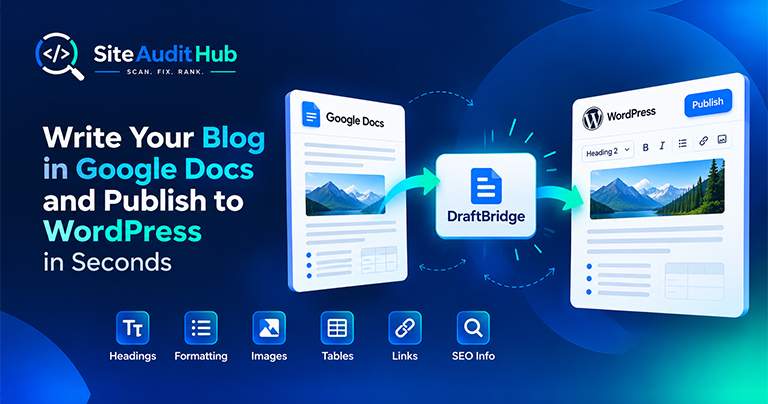
Google Docs to WordPress: 7 Easy Steps to Publish Faster
Learn how to prepare a blog in Google Docs and move it to WordPress while keeping headings, formatting, images, tables, links and SEO information organized.
Paste a URL to see how its link preview is likely to look on Facebook, X, LinkedIn and WhatsApp. We read the Open Graph and Twitter Card tags, test the share image and list what is missing.
A broken share preview costs clicks every time someone posts your link.
See approximate cards for Facebook, X, LinkedIn and WhatsApp side by side.
Reads og:title, og:description, og:image, og:url and more, and flags the ones that are missing.
Downloads the share image and checks that it loads, how big it is, and whether its shape will be cropped.
Checks the twitter:card type and the title, text and image X will use.
A simple table shows every share tag found on the page, so you can spot typos fast.
Each problem comes with the exact tag to add or change.
Make sure every shared link shows the right title, text and image.
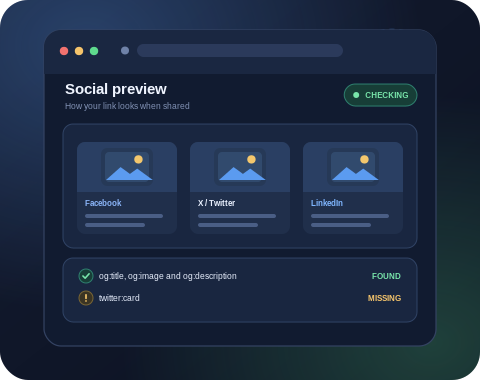
When someone shares your page on Facebook, LinkedIn, X or WhatsApp, the network builds a small card with a title, a short description and an image. A good card gets clicked. A card with no image, the wrong title or a cropped logo gets scrolled past. The good news is that you control what appears, through a handful of tags in your page, and this link preview tester shows the card before anyone shares it.
Networks cache previews, sometimes for days. If you fixed your tags but an old image still appears, the network is showing its saved copy. Facebook, LinkedIn and X each offer a free debugging or post inspector page where you can paste your URL and ask them to fetch it again. WhatsApp usually updates on its own after a while. Run the Open Graph checker here again once the network has refreshed, to confirm the tags and image it should now pick up.
If you need to write the tags from scratch, the meta and Open Graph tag builder creates them for you.
When you share a link, the app you share it in visits the page and reads a few tags from the HTML head. Facebook, LinkedIn and WhatsApp read Open Graph tags such as og:title, og:description and og:image. X reads its own Twitter Card tags and falls back to Open Graph when they are missing.
The social preview checker fetches your page in the same way, reads those tags and draws a card for each platform. You see the image, title and description each app is likely to show, and a list of tags that are missing or too long.
The share image has the biggest effect on clicks. A safe choice is 1200 by 630 pixels, a ratio close to 1.91 to 1. Most platforms crop toward the center, so keep text and faces away from the edges. Save the image as JPG or PNG, keep it well under a few megabytes and use a full absolute URL in og:image.
If the social preview checker shows no image, the usual causes are a relative URL, an image blocked by robots.txt or an image behind a login. Fix the URL first, then test again.
Social titles do not need to match your SEO title. They can be shorter and more direct, because the reader is scrolling a feed rather than comparing search results. Aim for a title under about sixty characters and a description of one clear sentence.
The social preview checker warns when a title is likely to be cut. Put the most important words first, and avoid repeating your brand name if it already appears on the card.
Social platforms keep a copy of each link preview. If you change the image or title after sharing, the old card can stay for days. The social preview checker always reads the live page, so it shows what the platforms will see after their cache is cleared.
On WordPress, SEO plugins such as Rank Math and Yoast write Open Graph tags for you. Set a default share image in the plugin settings and a custom one on important posts. On Shopify, most themes output the tags from the product image and SEO fields, and the social sharing image under Online Store preferences is used for the home page.
If two plugins or a plugin and a theme both write Open Graph tags, the page can end up with two different og:image values. The social preview checker shows every value it found, which makes duplicates easy to spot.
Run the social preview checker before you share a new post, launch a product or start a paid social campaign. It takes seconds and saves you from a blank card on the post that matters most. It is also worth a check after a theme change, since new themes often change how share tags are written.
For the search side of the same page, use the meta tag generator to write a title and description that fit the results page.
Open Graph is a small set of meta tags first created by Facebook and now read by almost every app that shows link previews. The four that matter most are og:title, og:description, og:image and og:url. Two more are worth adding: og:type, usually "website" or "article", and og:site_name, your brand.
The social preview checker reads all of them and shows which ones are set, which are empty and which values look too long. If a tag is missing, most apps try to guess from the page title and the first image they find, which rarely gives the result you want.
X looks first for its own tags: twitter:card, twitter:title, twitter:description and twitter:image. The twitter:card value decides the layout. "summary_large_image" shows a wide picture above the text, while "summary" shows a small square image beside it. If the Twitter tags are missing, X falls back to the Open Graph values, but it still needs twitter:card to show the large layout.
The social preview checker draws the X card using the same rules, which makes it easy to see whether you need to add a twitter:card tag or a different image.
WhatsApp, Telegram, Slack and similar apps also read Open Graph tags, but they show smaller cards and some of them skip the description. WhatsApp is strict about image size and may not show a preview when the image file is very large. Keep the share image well under one megabyte for the best results on messaging apps.
These apps also cache previews on the phone itself. If you fix a tag and the old card still shows, test with a fresh link or a small query string at the end of the URL, then confirm the new values with the social preview checker.
Product links are shared more than almost any other page. Make sure each product uses its own main image as og:image, not the store logo. Keep the title to the product name and one detail that matters, such as color or size. Check a few product, collection and blog URLs with the social preview checker after any theme update, since a new theme can change which image is used. For more help with store pages, see our Shopify theme customization service.
Social apps can only read pages that are public. If a page sits behind a login, a password, a maintenance mode plugin or a country block, the preview will be empty or show the login screen. The social preview checker fetches pages the same way, from outside your network, and reports the status code it received. A 401, 403 or a redirect to a login page explains a missing card straight away.
For staging sites, test on a public preview link before launch, then run the social preview checker again on the live URL on launch day. Tags often change between staging and live when a plugin is set up again or a site address is replaced. A quick social preview checker test on your top pages after launch catches those changes before your audience does.
A good preview is easy to measure. Add UTM tags to the links you share, then compare clicks from social apps before and after you fix the image and title. Many sites see more clicks from the same number of shares once the card shows a clear image and a short title instead of a blank space or the site logo.
Keep a short list of your most shared pages, such as the home page, top products, top blog posts and any landing pages used in ads. Run the social preview checker on that list every month and after every design change. It takes a few minutes, and it keeps the first impression of your brand consistent wherever people share your links.
When every item on this list passes in the social preview checker, your links are ready to share on any platform.
Bookmark the social preview checker next to your publishing tools, and make a quick test part of every launch.
Like every SiteAuditHub tool, it is free to use as often as you need, with no signup, no limits on the number of checks and no results stored on our side after you leave the page.
Official reference: The Open Graph protocol is the original specification behind og:title, og:image and the other tags this checker reads.
Why a shared link can show the wrong image or title, and what to change so it looks right.
Usually the og:image tag is missing, points to a small or broken image, or the network cached an old version. Fix the tag, then ask the network to fetch the page again with its own debugging or post inspector tool.
They are close approximations built from your tags. Each network adds its own styling and may crop text or images a little differently.
1200 × 630 pixels, under 1 MB, in JPG or PNG. Keep important text away from the edges in case it gets cropped.
Open Graph covers most networks. X reads its own twitter: tags first and falls back to Open Graph, so adding twitter:card at least is a good idea.
WhatsApp needs og:title and og:image, and the image must be reachable without a login. Very large images may also be skipped.
No. We fetch the page and its image once to build the report, and nothing is kept afterwards.
Same free, no-signup approach, pick whichever check you need next.
Reveal elements set to display:none, the kind of cloaking that gets sites penalized.
Try it →Build a clean XML sitemap with real lastmod dates, and check your robots.txt at the same time.
Try it →Shrink JPG, PNG, WebP and AVIF files right in your browser so pages load faster.
Try it →Guides and breakdowns to help you rank better.
Learn how to prepare a blog in Google Docs and move it to WordPress while keeping headings, formatting, images, tables, links and SEO information organized.

If you run a website, chances are you don’t want people to inspect your code, copy-paste your content, or steal your images. The browser’s Inspect Element (F12) and Right-Click menu make it very easy for users to copy content or view the source code.

Uncover hidden elements silently hurting your SEO. Our Hidden Element Checker finds and fixes these invisible issues before they damage your traffic, rankings, and conversions.
Run every check on your site in one go with the free full site audit.
Run a full site audit →