WordPress Migration Services
Moving your website should not cost you traffic. We handle WordPress migration to a new host, a new domain or from another platform, while keeping your content, links and rankings safe.
- Free, written quote
- Built on staging first
- Support after launch
About our WordPress migration service
What the work covers, who it suits and what changes after it is done.
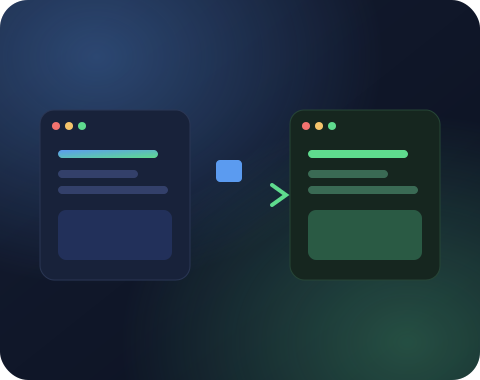
A website move looks simple until something breaks. Images go missing, internal links still point to the old domain, forms stop sending email, or old URLs return 404 errors and search rankings slowly fall. Most of these problems are not visible on the day of the move, which makes them easy to miss.
Our WordPress migration process is built to catch those issues before they reach your visitors. We take a full backup, move files and the database, replace old URLs safely inside the database, and set up 301 redirects wherever a URL changes. Then we test pages, forms, logins and email before switching the domain.
We also move websites into WordPress from other platforms, such as Wix, Squarespace, Joomla, Webflow, Blogger and custom built websites, along with posts, pages, images and SEO data.
Types of WordPress migration we handle
Every kind of move, with redirects and checks built in.
Host to Host Migration
Move your website to faster or cheaper hosting with full files, database and settings intact.
Domain Change
Switch to a new domain with every URL redirected, so links and rankings carry over.
Platform to WordPress
Move content from Wix, Squarespace, Joomla, Webflow, Blogger or a custom website into WordPress.
HTTP to HTTPS
Install SSL, fix mixed content warnings and redirect every old HTTP address properly.
Multisite Changes
Split a site out of a multisite network or merge websites into one, with content mapped correctly.
SEO Safe Redirects
A URL map and 301 redirects for every changed page, plus a crawl after launch to catch broken links.
Why a careful WordPress migration matters for SEO
Rankings follow your pages only when every old URL is redirected.
Google has spent years learning the URLs of your pages. When a WordPress migration changes those URLs without redirects, Google sees missing pages, and the rankings those pages built can disappear with them.
We prevent that by creating a complete list of your current URLs before the move. Every URL that changes gets a permanent 301 redirect to its new home. Internal links are updated to point straight to the new addresses, which avoids slow redirect chains.
After launch we update Google Search Console, submit the new sitemap and watch for crawl errors over the following weeks. If anything was missed, it is caught and fixed early.
Moving WordPress to a new host
A tested copy on the new server before any visitor arrives.
A host to host WordPress migration involves copying files and the database, then making sure the new server is set up the same way. PHP version, memory limits, file permissions and caching rules all affect whether the website works correctly.
We copy everything to the new server and test the website there using a temporary address or a local hosts file before changing DNS. This means your visitors never see a half moved website.
When the new server is confirmed, we switch the DNS and keep the old copy until the move is fully settled. We also check SSL, email delivery and scheduled tasks on the new host.
Moving from another platform to WordPress
Leaving Wix, Squarespace or Webflow without losing your content.
Wix, Squarespace, Webflow and similar builders lock content inside their own systems. A WordPress migration from these platforms usually means exporting what can be exported and carefully moving the rest.
We transfer pages, blog posts, images and basic SEO data such as titles and descriptions, then rebuild the design in WordPress. Blog posts keep their dates and authors where the data allows it.
Since these platforms use different URL formats, a full redirect map is essential. We match each old URL to its new WordPress URL and set up the redirects before the domain switch.
Ready to get started with WordPress migration?
Share your website link and what you need. You get a clear scope, price and timeline, free and with no obligation.
Our WordPress migration checklist
Backup, transfer, redirects, caching and a long list of checks.
Every WordPress migration we handle follows a checklist. It covers a full backup, file and database transfer, safe search and replace of URLs inside serialized data, permalink settings, SSL, redirects and caching.
Testing covers the home page, key landing pages, forms, logins, search, checkout for stores and any third party integrations. We also check that images and media load from the new location.
Finally we check analytics tracking, Search Console, the XML sitemap and robots.txt. Small items like these are easy to forget and can quietly affect traffic.
Moving a WordPress website to a new domain
A rebrand that keeps the trust your old domain earned.
Rebranding often means a new domain name. A WordPress migration to a new domain needs more care than a hosting move, since every URL on the website changes and search engines need to understand the move.
We update all internal URLs inside the database, set up 301 redirects from every old URL to the matching new URL, and use the Change of Address tool in Google Search Console to tell Google about the move.
We also update links in your Google Business Profile, social media profiles and other places you control, and keep the old domain active with redirects for as long as possible.


Talk to a real person
Have a question about WordPress migration?
Message us on WhatsApp or send the form. Someone from our WordPress team replies within one business day.
Merging and splitting websites
Combining several websites into one, or splitting one into many.
Sometimes a business wants to combine several small websites into one stronger website, or split a large website into separate brands. Both are a form of WordPress migration with extra content planning.
For a merge, we decide which pages to keep, which to combine and which to retire, then redirect every old URL to its best new match. This keeps the value of old links and rankings.
For a split, we move the right content to each new website and set up redirects in a way that sends visitors and search engines to the correct new home.
Choosing new hosting for your WordPress migration
Shared, managed or cloud hosting, matched to your traffic.
A WordPress migration is a good moment to choose hosting that fits your website. Shared hosting suits small websites with modest traffic. Managed WordPress hosting adds automatic backups, caching and expert support. Cloud servers give the most control and performance for busy websites and online stores.
We help you compare options based on your traffic, storage needs, budget and how much server management you want to handle. Important features include a recent PHP version, server level caching, daily backups, free SSL and good support.
Once you choose, we handle the full move and configure the new server for WordPress, which means you get the benefits of better hosting from the first day.
If you are happy with your current host and only need a domain change or a platform move, we work with your existing setup.
Moving should feel like an upgrade, not a risk
Faster hosting and more control, without the usual risk.
Most people delay a WordPress migration because they fear what might break. That fear is reasonable. A rushed move can lose images, break forms, scramble links and wipe out months of search progress in a weekend.
Handled properly, a move is one of the best things you can do for a website. Faster hosting makes every page snappier. A new domain can strengthen a rebrand. Leaving a closed builder for WordPress gives you full control over design, content and growth.
Our job is to give you the upside without the risk: a careful plan, a tested copy, a smooth switch and close monitoring until everything has settled.
Tell us where your website lives today and where you want it to go, and we will outline the safest route.
Common WordPress migration problems we prevent
Broken images, lost settings and redirect loops, avoided upfront.
Some problems show up again and again after rushed moves. Images that point to the old domain and disappear when it expires. Serialized data broken by a simple search and replace, which resets widget and theme settings. Contact forms that stop sending email because the new server is not set up for it.
Other issues include redirect loops caused by SSL settings, missing cron jobs, file permission errors that block uploads and caching rules that show old pages to visitors.
Our WordPress migration checklist covers each of these, and we test for them before and after the switch.
We also check that search engines see the right version of the website, with correct canonical tags, an updated sitemap and no accidental noindex settings left over from staging.
Preventing these problems is far easier than fixing them later, which is why careful planning is the most valuable part of any WordPress migration.
Testing a WordPress migration properly
Every form, login and order tested before the domain switch.
Testing is where a careful WordPress migration proves its value. Before switching the domain, we check the website on the new server using a temporary address or a local hosts entry. This lets us see exactly what visitors will see, without affecting anyone on the live website.
We click through the main navigation, open key landing pages, submit every form and check that confirmation emails arrive. For online stores, we place test orders with each payment method, check stock updates and confirm that order emails look right for both the store and the customer.
Logins, password resets, search, comments and any member areas are tested too, along with integrations such as CRMs, email marketing tools and analytics tracking.
On the technical side, we review error logs, confirm scheduled tasks run, check SSL and redirects, and crawl the website to find broken links or images that still point to the old location.
Only when this testing passes do we switch the domain. This careful approach is the reason our WordPress migration projects rarely need emergency fixes after launch.
How our WordPress migration process works
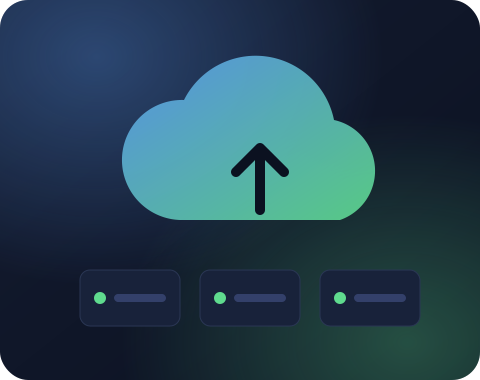
Back up, move and test, then switch when it is safe.
Backup and audit
We take a full backup, record your current URLs and note forms, emails and integrations to test.
Move and test
We migrate files and the database to the new location and test every key page and feature there.
Switch and monitor
We point the domain, set redirects, check Search Console and crawl the website for broken links.

Why choose SiteAuditHub for WordPress migration
What makes a move with us feel uneventful.
Your rankings stay where they are
Every old URL is mapped and redirected, so the traffic you worked for follows you to the new home.
No awkward downtime
We build and test at the new location first, then switch when everything is confirmed.
Nothing left behind
Media, forms, users, emails and integrations are all checked after the move.
A plan before a single file moves
You know the steps, the timing and the switch date before we start.
Free tool: Redirect Checker
After a migration, check that old URLs redirect in one clean step with our free redirect checker.
Further reading: The WordPress guide to moving a website describes the official approach to changing hosts and domains.
WordPress migration FAQs
Can't find your answer? Ask us directly and get a reply within one business day.
Ask on WhatsAppIn most cases there is no visible downtime. We copy and test the website on the new location first, and switch the domain only when everything works.
Rankings stay safe when URLs are kept the same or redirected properly with 301 redirects. We map every URL and test redirects after the move to protect your SEO.
If your email is hosted with your old web host, we can guide you or help move it to the new provider so mail keeps flowing during the switch.
Yes. We move pages, blog posts and images from Wix, rebuild the design in WordPress and redirect the old Wix URLs to the new pages.
A simple host to host move often takes a day or two. Platform changes with a redesign take longer. We share the timeline in your quote.
Yes. We handle multisite moves, as well as moving a single website out of a multisite network into its own installation.
Yes. For large websites we use server level tools instead of plugins, which handle big databases and media libraries more reliably.
Access to the old hosting, the new hosting and the domain DNS settings. We guide you through sharing access safely.
Yes. With full 301 redirects and the Search Console change of address, a WordPress migration to a new domain keeps most ranking value.
Yes. We can move selected sections, such as the blog or the shop, into a new WordPress installation and redirect their old URLs.
Yes. We crawl the new website for broken links, check key pages and forms, and watch Search Console for errors in the weeks after the move.
Yes. We regularly repair broken migrations, including missing images, broken settings, redirect loops and lost SEO, and finish the move properly.
Email depends on your DNS records, not on your website files. We note your current mail records before the move and keep them in place when the domain is pointed to the new server, which keeps email flowing. If email is hosted with the old web host, we plan its move separately with you.
Yes. Older websites often run outdated WordPress, PHP or plugins. We update them step by step on a staging copy, fix compatibility issues and then complete the move, leaving you with a modern, supported website.
Get a free quote for WordPress migration
Tell us what you need and we will reply with a clear scope, price and timeline. No obligation.
We usually reply within one business day.
Working hours
Monday to Friday, 10am to 6pm IST