Shopify Migration Services
Moving your online store to Shopify? We migrate your products, customers, orders and content, and set up redirects so your search rankings and links carry over to the new Shopify store.
- Free, written quote
- Built on staging first
- Support after launch
About our Shopify migration service
What the work covers, who it suits and what changes after it is done.
A store migration has many moving parts. Products come with variants, images and SEO text. Customers have accounts and order history. Blog posts and pages have links pointing to them from Google and other websites. If any part is moved carelessly, customers see missing products and broken links, and search traffic drops.
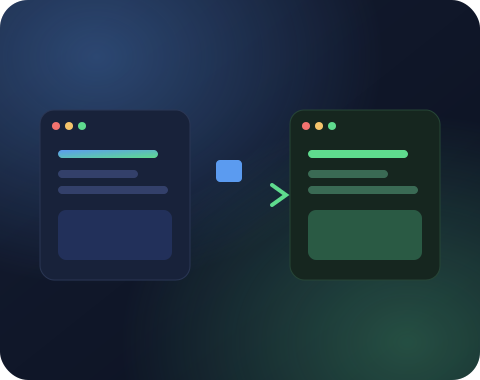
Our Shopify migration service plans the move before any data is copied. We map products, variants and categories to Shopify products and collections, move customers and order history, rebuild your content pages, and create a redirect for every old URL. Shopify uses its own URL format, which makes redirects one of the most important parts of the job.
We migrate from WooCommerce, Magento, BigCommerce, Wix, Squarespace, OpenCart, PrestaShop and custom built stores. Your old store stays live until the new Shopify store is fully tested.
What our Shopify migration covers
Products, customers, orders, content and redirects, moved with care.
Product Migration
Products, variants, images, prices, SKUs, inventory and SEO fields moved and checked.

Customer and Order Data
Customer records and past orders moved, so returning customers keep their history.
Content and Blog
Pages, blog posts and images moved and formatted for your new Shopify theme.
URL Redirects
A 301 redirect for every old product, category and page URL, to protect your rankings.
Design and Theme Setup
Your new Shopify theme set up to match your brand, or a redesign if you want one.
Launch Checks
Test orders, payment and shipping checks, Search Console update and a crawl for broken links.
Planning a Shopify migration
Every product type, feature and page mapped before data moves.
A smooth Shopify migration starts with a full inventory of your current store. We list product types, variant options, custom fields, customer groups, discount rules, blog posts, pages and every app or plugin that adds a feature.
Then we decide how each item maps to Shopify. Product categories may become collections, custom fields may become metafields, and some plugin features may need a Shopify app or a small theme change.
This plan is shared with you before any data moves. It removes surprises and makes sure nothing important is left behind on the old platform.
Moving product data accurately
Variants, SKUs and images checked against the old store.
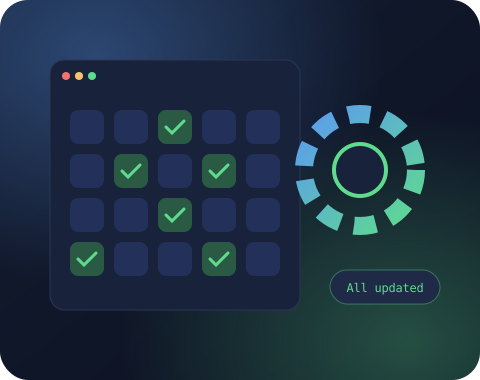
Products are the most important data in any Shopify migration. Shopify allows up to three variant options per product by default, so products with more complex options need careful planning, sometimes using metafields or a product options app.
We move titles, descriptions, images, prices, compare at prices, SKUs, barcodes, inventory and weights. Image file names and alt text are kept where possible, which helps image search traffic.
After import we check a sample of products against the old store, comparing prices, variants and images, and fix any mismatch before going live.
Redirects and SEO during a Shopify migration
Old URLs matched to Shopify's format to protect rankings.
Shopify uses fixed URL patterns like /products/, /collections/ and /pages/. Almost every URL from WooCommerce, Magento or Wix changes during a Shopify migration, which makes redirects critical.
We export every old URL that receives traffic or has links pointing to it, match it to the right Shopify URL and import the redirects in bulk. Old category URLs go to matching collections, and old product URLs go to the same product on Shopify.
We also move page titles and meta descriptions, set up the Shopify sitemap in Search Console and monitor crawl errors after launch, which protects the rankings your store has built.
Ready to get started with Shopify migration?
Share your website link and what you need. You get a clear scope, price and timeline, free and with no obligation.
After the switch
Test orders, account invites and close monitoring after launch.
Once the domain points to Shopify, we place real test orders, check payment and shipping, confirm emails are sent and watch analytics for any unusual drop in traffic or conversions.
Customers receive account invitations if you choose to send them, so they can set a new password and see their order history on the new Shopify store.
We stay involved during the first weeks after the Shopify migration to fix any issue quickly while your team settles into the new admin.
WooCommerce to Shopify migration
Leaving plugin updates and hosting bills behind for good.
WooCommerce is one of the most common platforms we move stores from. Merchants usually switch to reduce the work of managing hosting, plugins, updates and security.
In a WooCommerce to Shopify migration we map product variations to Shopify variants, convert categories to collections, move customer accounts and order history, and recreate important pages and blog posts.
Features that came from WooCommerce plugins, such as product add-ons or wholesale pricing, are rebuilt with Shopify apps or theme changes, and we explain each choice before the Shopify migration starts.

Talk to a real person
Have a question about Shopify migration?
Message us on WhatsApp or send the form. Someone from our Shopify team replies within one business day.
Training your team on Shopify
Daily tasks explained so the new admin feels familiar fast.
A new platform means new routines. Order processing, product updates, discounts and reports all work a little differently in Shopify.
After the Shopify migration we run a training session for your team, covering the daily tasks they will do most often, and we share short written guides they can refer to later.
Most teams find Shopify simpler than their old platform within a few days, especially once they no longer need to worry about hosting, updates or plugin conflicts.
Shopify migration timeline
Clear stages from audit to launch, with dates you can plan around.
Every Shopify migration follows the same basic timeline, adjusted to the size of your store. First comes the audit and planning stage, where we review data and features and agree on the plan. Next is the data migration and theme setup, followed by redirects and content checks.
Then comes testing, where we and your team review products, pages, checkout and emails on the new Shopify store before launch. Once everything is approved, we switch the domain and move any final orders or customers created during the project.
The final stage is monitoring, where we watch traffic, rankings and orders closely and fix any issue quickly.
You receive a timeline for each stage at the start, which helps you plan marketing and stock around the launch date.
Leave the headaches on the old platform
Hand the hosting, security and checkout worries to Shopify.
If you are thinking about moving, you probably know the feeling: plugin updates that break things, hosting bills that keep rising, security worries and a checkout that never quite feels reliable. Running the store has become a technical job instead of a business.
A Shopify migration hands most of that back to Shopify. Hosting, security, checkout and updates are taken care of, and your team can focus on products, customers and marketing.
The move itself is where most of the risk lies, and that is the part we handle for you, carefully and with a plan you can see from the start.
Share your current store link and platform, and we will tell you how the move would look for your business.
What affects the cost of a Shopify migration
Catalog size, history and design choices shape the price.
The size of the catalog is the first factor. A store with a few dozen simple products is quicker to move than one with thousands of products, many variants and complex options.
Customer and order history adds to the work, especially when it spans many years or includes custom fields that need mapping.
Features from the old platform, such as custom pricing, product configurators or loyalty programs, may need Shopify apps or custom theme work to replace them.
Design is another factor. Some merchants move to a ready-made Shopify theme, while others choose a redesign or a custom theme as part of the Shopify migration.
We explain each of these in the quote, which lets you choose what to include and plan your budget with confidence.
Keeping marketing running during a Shopify migration
Email flows, ad feeds and pixels reconnected at the switch.
Moving platforms does not mean pausing your business. During a Shopify migration we make sure your marketing keeps working, so sales continue while the new store is prepared.
Email marketing lists are moved or connected to the new Shopify store, and automated flows such as welcome emails and abandoned cart reminders are recreated. We check that sign up forms on the new store add subscribers correctly.
Ad campaigns need attention at the switch. Product feeds for Google and Meta are reconnected to Shopify, tracking pixels are installed and tested, and landing page links are updated so ads send shoppers to the right pages.
Social shopping channels, such as Facebook and Instagram shops, are reconnected to the new catalog, and any marketplace integrations are planned with you.
By handling these details, a Shopify migration becomes a step forward for your marketing, not a pause in it.

How our Shopify migration process works
Audit, migrate and test while the old store keeps selling.
Audit and map
We review your current store, export the data and map every product, page and URL to Shopify.
Migrate and build
We move the data into Shopify, set up the theme and create redirects, while your old store stays live.
Test and switch
We test orders and pages, switch the domain, and monitor traffic and errors after launch.

Why choose SiteAuditHub for Shopify migration
Why merchants trust us with their move.
Every product accounted for
Data is checked after import, so nothing goes missing on the way.
Search traffic protected
Redirects for every old URL carry your rankings across to Shopify.
Old store live until the switch
Customers keep shopping while we build and test the new Shopify store.
Support after launch
We stay close during the first weeks to fix anything that needs attention.
Free tool: Redirect Checker
After the switch, check that your old URLs redirect to the right Shopify pages with our free redirect checker.
Further reading: Shopify's guide to migrating to Shopify describes the official migration steps and data types.
Shopify migration FAQs
Can't find your answer? Ask us directly and get a reply within one business day.
Ask on WhatsAppShopify changes the URL structure, which is why we create 301 redirects for every old URL and keep your titles and meta descriptions. With proper redirects, rankings usually carry over.
No platform allows passwords to be moved, for security reasons. Customer accounts are migrated, and customers get an invite to set a new password on the Shopify store.
No. Your old store keeps running while we build and test the new Shopify store. The switch happens only when everything is ready.
Yes. WooCommerce to Shopify is one of the most common moves we handle, including products, variants, customers, orders, blog posts and redirects.
It depends on the number of products, the amount of custom functionality and whether you want a redesign. We share a clear timeline after reviewing your store.
Yes. Magento to Shopify is a common Shopify migration, especially for stores on older Magento versions that need a simpler platform.
In most cases yes. Reviews can be exported and imported into a Shopify review app, keeping ratings and dates.
Yes. Many merchants use the move as a chance to refresh the design. We can set up a new theme or build a custom one.
The cost depends on the platform, the amount of data and any redesign. Share your store details and we will send a free Shopify migration quote.
In many cases yes. Gift card balances can be recreated in Shopify, and we plan how to handle store credit with you before the move.
Customers can keep shopping as guests. If they want to log in, they set a new password through an invite we can send for you.
Yes. We can migrate only the data you choose. Some merchants start with products and content and move customers later.
Yes. Blog posts, authors, tags and static pages are moved into Shopify, with images and formatting cleaned up to fit your new theme. Each old blog URL gets a redirect to its new Shopify address.
We recommend keeping the old store available privately for a few weeks after launch. It is useful for comparing data or finding anything missed. After that, you can close the old hosting and keep a final backup.
In most cases yes. Reviews with ratings, dates and customer photos can be imported into review apps such as Judge.me, depending on what your old platform allows us to export.
Yes. We connect your domain to Shopify, set up SSL and check that both the main domain and the www version point to the new store correctly.
Shopify uses its own URL structure, so most URLs change. Redirects send every old URL to the matching new page, keeping both visitors and search engines on track.
Get a free quote for Shopify migration
Tell us what you need and we will reply with a clear scope, price and timeline. No obligation.
We usually reply within one business day.
Working hours
Monday to Friday, 10am to 6pm IST