Figma or PSD to WordPress Conversion
You have the design ready. We turn your Figma, Adobe XD or Photoshop file into a working WordPress website that looks the same on every screen and stays easy to edit.
- Free, written quote
- Built on staging first
- Support after launch
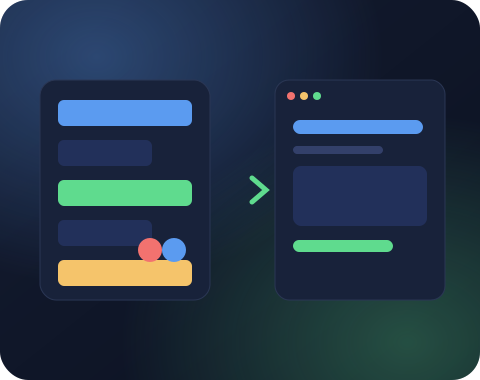
About our Figma to WordPress service
What the work covers, who it suits and what changes after it is done.
A good design file is only half of a website. The spacing, fonts, hover effects and mobile layouts that look perfect in Figma can easily drift when they are built in code. Small differences add up, and the finished website ends up feeling different from what the designer planned.
Our Figma to WordPress service focuses on matching your design closely. We use the exact fonts, colors and spacing from your file, build responsive versions for screens the design does not show, and add the small interactions that bring the design to life.
You can choose how the website is built: as a custom theme for the best speed, or in Elementor or the block editor if your team wants drag and drop editing. Either way, every section is editable from the WordPress dashboard.
What our Figma to WordPress conversion includes
Everything needed to turn a design file into a working website.
Pixel Matched Build
Fonts, colors, spacing and images taken directly from your design file and matched page by page.
Figma, XD, PSD and Sketch
We work with all common design formats, as well as PDF or image mockups when that is all you have.
Responsive Layouts
Mobile and tablet versions built carefully, even when the design file only shows desktop.
Your Choice of Builder
A lightweight custom theme, Elementor or the Gutenberg block editor, based on how your team works.
Editable Content
Text, images, buttons and repeating sections editable from the dashboard, without breaking the layout.
Animations and Interactions
Hover states, sliders, menus and scroll effects built as shown in your prototype.
Why Figma to WordPress conversion needs care
A fixed canvas has to become a layout that fits every screen.
Designers and developers think about a page differently. A designer arranges elements on a fixed canvas, while a browser has to fit the same content on screens from small phones to wide monitors. A good Figma to WordPress conversion fills that gap without losing the design intent.
We read the design file closely. We check auto layout settings, spacing values, font sizes, colour styles and component variants, then turn them into CSS variables and reusable components. This keeps the build faithful to the design across every page.
Where the design leaves questions open, such as how a long heading should wrap or what a menu looks like on a phone, we make sensible choices in the same style and show them to you before launch.
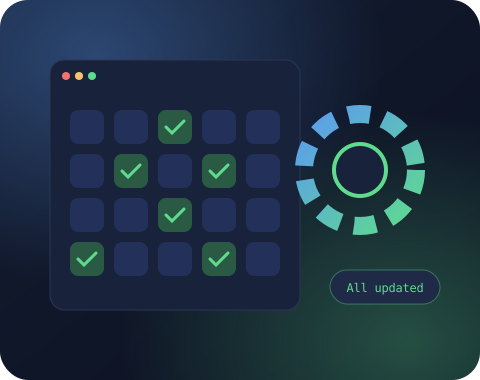
Turning design components into editable WordPress blocks
Components in Figma become blocks your editors can reuse.
Modern Figma files are built from components: buttons, cards, banners and sections that repeat. In our Figma to WordPress process each component becomes a matching block or section in WordPress.
Your team can then add a card, change its text and image, or reorder sections, all without breaking the design. The visual rules stay locked in the code, while the content stays editable.
This approach also makes the website easier to grow. When you need a new page, you combine existing blocks instead of asking a designer and a developer for new work.
Speed and SEO in a Figma to WordPress build
Exports, fonts and clean HTML that design files never show.
A design file does not show how fast a page loads. During Figma to WordPress conversion we export images at the right sizes, convert them to modern formats like WebP, and load only the fonts and weights the design actually uses.
We also write clean HTML with a proper heading structure, which the design file cannot provide on its own. Headings follow the content order, buttons and links have clear labels, and images get descriptive alt text.
The result looks like your design and performs well in Google, which is the reason most businesses commission the design in the first place.
Ready to get started with Figma to WordPress?
Share your website link and what you need. You get a clear scope, price and timeline, free and with no obligation.
Working with agencies and designers
Your client relationship stays yours while we handle the build.
A large share of our Figma to WordPress work comes from design studios and freelance designers. They focus on design and client relationships, while we handle development behind the scenes.
We follow your file naming, respect your design decisions and ask questions early instead of guessing. You get a staging link to review with your client, and we fix any feedback before the website goes live.
White label delivery is available, meaning your client sees your brand only, and the theme code carries no credit links to us.
Figma to WordPress for landing pages
Single campaign pages, live on your existing website fast.
Not every project is a full website. Marketing teams often design a single landing page in Figma for a campaign, a product launch or an event, and need it live quickly on their existing WordPress website.
Our Figma to WordPress service handles these one page projects too. We build the landing page to match the design, connect the form to your tools and make sure it fits the rest of your website in terms of header, footer and tracking.
If your team runs campaigns often, we can turn the landing page into a reusable template, which lets you create the next campaign page without another design and development cycle.

Talk to a real person
Have a question about Figma to WordPress?
Message us on WhatsApp or send the form. Someone from our WordPress team replies within one business day.
Quality checks before handover
The details a design file cannot show, checked before handover.
Before we hand over a Figma to WordPress project, we compare each page with the design at several screen sizes. Differences in spacing, alignment or font size are noted and fixed.
We also test the parts the design file cannot show: form validation messages, empty states, hover and focus styles, error pages and how the menu behaves on touch screens.
Finally we run speed and accessibility checks and fix any issues found. You receive a website that looks like the design and also works well for real visitors.
Figma to WordPress with the block editor
Custom blocks and patterns, without an extra page builder.
The WordPress block editor, also called Gutenberg, has improved a lot and is now a strong choice for Figma to WordPress projects. Custom blocks and block patterns let editors build pages from approved design pieces without a separate page builder plugin.
We create blocks that match your Figma components, with controls for text, images, colours from your palette and layout options. Block patterns combine these into ready made sections that editors insert with one click.
Using the block editor keeps the website lighter than most page builders, avoids an extra plugin licence and stays aligned with the future direction of WordPress.
For teams already familiar with Elementor, we can use Elementor instead. Either way, the Figma to WordPress build will follow your design closely.
Do not let a great design lose its magic
Keep every detail that made the design worth approving.
You or your designer spent weeks getting every detail right: the rhythm of the spacing, the weight of the headings, the way a card lifts on hover. Then the build arrives and something feels off. Fonts look heavier, gaps are uneven and the mobile version looks like an afterthought.
Our Figma to WordPress service exists to prevent that moment. We treat the design file as the source of truth and check our build against it at every stage, on every screen size.
When the website launches, it looks the way it did in the presentation that won the client or convinced the team, only now it is real, fast and ready for visitors.
Share your Figma link and we will send back a clear plan, price and timeline for bringing it to life.
What affects a Figma to WordPress quote
Layouts, interactions and builder choice shape the price.
The main factor is the number of unique page layouts in your design. Pages that share the same template, such as blog posts or service pages, are built once and reused, which keeps costs down.
Interactive elements add time. Sliders, tabs, accordions, animated counters, filters and custom menus each need careful building and testing on every screen size.
The builder you choose also matters. A custom theme with the block editor gives the fastest result, while Elementor gives your team more layout freedom. Both are available in our Figma to WordPress service.
Content entry is another factor. We can fill the website with your final text and images, or build it with placeholder content for your team to replace.
Every Figma to WordPress quote lists these items, which makes it easy to see where the budget goes and adjust the scope if needed.
Design systems and Figma to WordPress
Colour, type and spacing rules carried straight into WordPress.
Many modern design files are built on a design system: a set of colours, type styles, spacing rules and components used across every page. When your Figma file is organised this way, the Figma to WordPress build can mirror it closely, which makes the finished website more consistent and easier to extend.
We translate colour and type styles into CSS variables and WordPress global styles. Spacing rules become a consistent scale used throughout the theme. Components such as buttons, cards and form fields become reusable pieces that look the same wherever they appear on the website.
This pays off long after launch. When your brand evolves, changing a colour or a font in one place updates the entire website. New pages built from existing components automatically follow the same rules, and designers and developers speak the same language when planning new features.
If your design file does not have a formal system, we create a light one during the build based on the patterns in your pages. You receive a short style reference along with the finished website.
Whether your design is a full system or a handful of pages, our Figma to WordPress process gives you a website that stays consistent as it grows.
How our Figma to WordPress process works
Review the file, build it, then compare side by side.
Review the design
We go through your file, note every page and component, and confirm which builder to use.
Convert and build
We build the pages on staging, matching your design and adding responsive layouts.
Compare and launch
We compare the build with the design side by side, fix any gap, then launch the website.

Why choose SiteAuditHub for Figma to WordPress
How we keep a designer's work intact.
Your design, faithfully built
Spacing, type and colours are taken straight from your file and checked side by side before launch.
Every screen size covered
We design the gaps your file leaves open, such as phone menus and long headings, in the same style.
A trusted partner for agencies
White label delivery, clear communication and respect for your design decisions.
Editable, not frozen
Your team can update content freely without breaking the layout you worked hard on.
Free tool: Image Compressor
Design files often export very large images. Shrink them before upload with our free image compressor.
Further reading: The Figma developer documentation explains how designers share files and specs with developers.
Figma to WordPress FAQs
Can't find your answer? Ask us directly and get a reply within one business day.
Ask on WhatsAppFigma, Adobe XD, Photoshop (PSD), Sketch and Illustrator files. We can also work from a PDF or images if the original file is not available.
Yes. We create tablet and mobile layouts that follow the style of your design, and share them for review before launch.
Yes. We can build websites for your clients under your brand, with no mention of us on the website.
A custom theme gives the fastest website. Elementor gives your team more freedom to change layouts. We suggest the right option based on how often you plan to edit pages.
We match the design very closely, including spacing and fonts. Some things, like text length changes or browser differences, may need small adjustments, and we discuss those with you.
Yes. The same process works for Adobe XD, Sketch and Photoshop files, and we can also work from exported images when needed.
Yes. We can convert a single landing page or a full website. Figma to WordPress projects are quoted by the number of unique layouts.
No special preparation is needed. Organized layers and named components help, but we can work with most files as they are.
A single landing page can be ready within days, while a full website usually takes a few weeks. Figma to WordPress timelines depend on the number of unique layouts.
View access is enough in most cases. We inspect spacing, styles and assets directly from a shared view link.
Yes. If something will not work well on mobile or could hurt speed, we point it out with a suggestion before building.
Yes. We can add your final text and images during the build, or leave placeholder content for your team to replace later.
Yes. We build shop, product, cart and account pages from your Figma design and connect them to WooCommerce, so the store looks exactly like the rest of your website.
Get a free quote for Figma to WordPress
Tell us what you need and we will reply with a clear scope, price and timeline. No obligation.
We usually reply within one business day.
Working hours
Monday to Friday, 10am to 6pm IST