 Live on WordPress.org

Content & Publishing
DraftBridge
From Doc/Docx to Blog Post
Import blog posts from Google Docs or .docx files with headings, tables, images, SEO fields and FAQ schema filled in automatically.
The same checks and shortcuts we use on our own sites, packed into plugins you can install from your WordPress dashboard. Free on WordPress.org, no account needed.
Each one does a single job well. Open its WordPress.org page for screenshots, the full feature list and the changelog.
Live on WordPress.org
Content & Publishing
From Doc/Docx to Blog Post
Import blog posts from Google Docs or .docx files with headings, tables, images, SEO fields and FAQ schema filled in automatically.
 Live on WordPress.org

SEO & Site Health
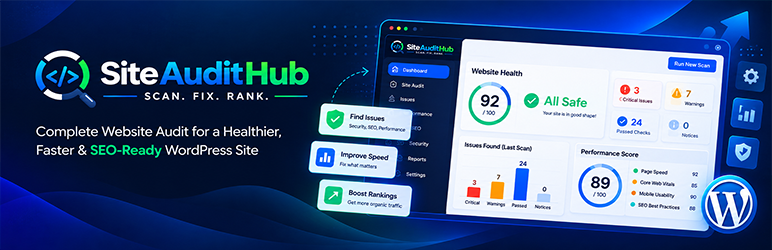
Check your whole WordPress site for SEO, accessibility, health and malware problems from one dashboard. Runs on your own server.
 Live on WordPress.org

Portfolio & Case Studies
Turn your projects into clean case study pages without a page builder. Pick ready-made sections like results, gallery, team and FAQ, fill in your text and numbers, and the layout, table of contents and mobile view are done for you.
Site Management
Full details are on the way. Check back soon.
Is there a small job on your WordPress site you keep doing by hand? Tell us about it. Most of our plugins started as a request like that.
Suggest a plugin →No zip files to download. Everything installs from inside your WordPress dashboard.
In your WordPress dashboard, go to Plugins and click Add New Plugin.
Type the plugin name in the search box.
Click Install Now, then Activate. The plugin adds its own menu item, ready to use.
Every live plugin passed the WordPress.org plugin team review before it was published, and updates come through your normal dashboard.
Install it, use it, keep it. You don't need an account with us and there is no trial that runs out.
The plugins work inside your own WordPress install, so your content and settings stay on your server.
We build these for our own sites first, then share them. Bugs we hit get fixed quickly because we hit them too.
Yes. Every plugin on this page is free to download and use from the WordPress.org plugin directory.
In your WordPress dashboard go to Plugins, click Add New Plugin, search for the plugin name, then click Install Now and Activate.
Our plugins load their files only on the screens where they are needed, so they add very little to your front end. You can check your page speed before and after with any speed test tool.
They are built on standard WordPress features, so they work with most themes and page builders. Each plugin page on WordPress.org shows the WordPress version it was tested with.
Use our plugin feedback page or post in the plugin support forum on WordPress.org. We read every message.
Run the free online audit. Paste a URL and get a report in about a minute.
Run a free audit →