WordPress Speed Optimization Services
A slow website loses visitors before they read a word. We find what is slowing your WordPress website down and fix it, to improve load time, Core Web Vitals and PageSpeed scores.
- Free, written quote
- Built on staging first
- Support after launch
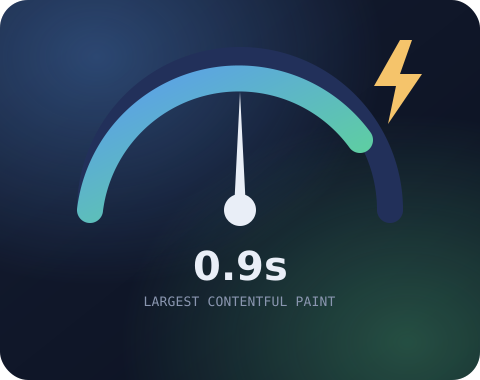
About our WordPress speed optimization service
What the work covers, who it suits and what changes after it is done.
Speed problems in WordPress rarely have one cause. A heavy theme, a slider on the home page, uncompressed images, ten plugins loading scripts on every page, a bloated database and slow hosting can all add a little delay. Installing a caching plugin helps, but it cannot fix the code underneath.
Our WordPress speed optimization starts with measurement. We test your key pages in PageSpeed Insights and real browser tools, find the largest delays and fix them in order of impact. That includes images, fonts, scripts, CSS, caching, the database and server settings.
We pay special attention to Core Web Vitals, the speed signals Google uses in its rankings: Largest Contentful Paint, Interaction to Next Paint and Cumulative Layout Shift. You get a before and after report showing what changed.
What our WordPress speed optimization covers
Measured fixes for images, code, caching and the database.
Speed Audit
A page by page review of load time, Core Web Vitals and the files that slow each page down.
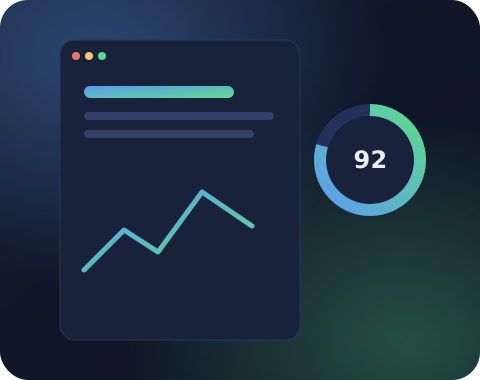
Image Optimization
Compression, modern formats like WebP and AVIF, correct sizes and lazy loading for images below the fold.
Caching and CDN
Page caching, browser caching and CDN setup that suits your hosting and your plugins.
Script and CSS Cleanup
Unused CSS and JavaScript removed or delayed, and render blocking files fixed.
Plugin and Database Review
Heavy or duplicate plugins replaced, and the database cleaned of old revisions and expired data.
Core Web Vitals Fixes
LCP, INP and CLS improved for both mobile and desktop, with a before and after report.
What slows down a WordPress website
Heavy themes, big images and extra scripts all add delay.
Every WordPress speed optimization project starts by finding the real cause of delay. The most common causes are large images, too many plugins loading scripts on every page, a heavy theme or page builder, slow hosting and a database full of old data.
Third party scripts are another hidden cost. Chat widgets, tracking pixels, embedded videos and social feeds each load extra files from other servers, and they often block the page while they load.
We measure how much each of these adds to your load time. This tells us exactly where the gains are and prevents wasted effort on changes that make little difference.

Understanding Core Web Vitals
The three speed scores Google uses, explained in plain words.
Core Web Vitals are three measurements Google uses to judge the experience of a page. Largest Contentful Paint measures how fast the main content appears. Interaction to Next Paint measures how quickly the page responds to taps and clicks. Cumulative Layout Shift measures how much the layout jumps while loading.
Our WordPress speed optimization work targets each metric directly. We preload the main image and fonts for LCP, reduce and delay heavy JavaScript for INP, and reserve space for images, ads and embeds to prevent layout shift.
We check both lab data from PageSpeed Insights and field data from real visitors where it is available, since Google ranks on the real user data.
Caching, CDN and hosting
Ready made pages served from close to every visitor.
Caching saves a ready made copy of each page, which lets the server send it instantly instead of building it again for every visitor. We choose and configure a caching setup that suits your hosting and plugins, including special rules for logged in users and online stores.
A CDN stores your images, CSS and JavaScript on servers around the world, which shortens the distance to each visitor. For many websites a CDN is one of the simplest and most effective WordPress speed optimization steps.
If your hosting is truly the limit, we explain the numbers and recommend options. Sometimes a simple PHP upgrade or a different server setting makes a large difference without a move.
Ready to get started with WordPress speed optimization?
Share your website link and what you need. You get a clear scope, price and timeline, free and with no obligation.
Keeping your website fast after optimization
Simple habits that stop speed slipping back after the work.
Speed tends to slip over time. New plugins, larger images and extra tracking scripts gradually add weight. After the WordPress speed optimization work is done, we share a simple list of habits that keep the website fast.
Examples include compressing images before upload, avoiding plugins that load scripts on every page, and testing a new feature for speed before adding it permanently.
Clients on a maintenance plan also get a monthly speed check, which lets us spot and fix a slowdown before it affects rankings or sales.
WordPress speed optimization for WooCommerce stores
Faster product pages without breaking carts or checkout.
Online stores have special speed challenges. Cart, checkout and account pages cannot be fully cached, product images are often large, and many store plugins load scripts on every page.
Our WordPress speed optimization for stores focuses on product and category pages first, since those bring most visitors. We optimize product images, reduce scripts loaded outside the shop, and tune caching rules that keep carts working.
We also look at the database. Large stores collect old sessions, transients and order data that slow down queries, and cleaning these safely can make the admin faster too.

Talk to a real person
Have a question about WordPress speed optimization?
Message us on WhatsApp or send the form. Someone from our WordPress team replies within one business day.
Mobile speed first
Most visitors browse on phones, and Google ranks that version.
Most visitors browse on phones, often on slower networks, and Google ranks websites using the mobile version. A website that feels fast on a desktop with a fibre connection can still be slow for most real visitors.
We test and optimize for mobile first. That means smaller images for small screens, less JavaScript, fonts that load quickly and layouts that do not shift while loading.
Improving mobile speed usually improves desktop speed as well, which makes mobile focused WordPress speed optimization the best use of effort.
Fonts, scripts and third party embeds
Local fonts and click to load embeds keep the first view quick.
Beyond images and caching, fonts and outside scripts often hold pages back. Loading fonts from external servers adds connections and delays text. Embedded videos, maps and social feeds load large scripts even when visitors never scroll to them.
In our WordPress speed optimization work we host fonts locally, load only the weights your design uses and display text immediately while fonts load. Videos and maps are replaced with lightweight previews that load the full embed only when clicked.
Chat widgets, pop ups and tracking tags are delayed until after the main content is visible or until the visitor interacts with the page, which keeps the first load fast.
These changes keep every feature working while removing the delays that visitors and Google notice most.
Every second counts
Shorter waits mean more readers, more leads and more sales.
Think about the last time a page made you wait. You probably did not wait long. Your visitors behave the same way. A slow page loses readers, leads and sales before your message even appears on screen.
Speed also shapes how Google sees your website. Pages that load quickly and respond smoothly have an advantage in search, especially on mobile, where most visitors arrive.
WordPress speed optimization is one of the few improvements that helps every page, every visitor and every campaign at once. Ads perform better, SEO gets stronger and your brand feels more professional.
Send us your slowest page and we will share what is holding it back, along with a plan to fix it.
What a WordPress speed optimization report includes
Before and after numbers, every change and tips to stay fast.
At the end of the project you receive a clear report written in plain language. It starts with the before and after numbers for your key pages, on both mobile and desktop.
The report then lists each change we made, such as images converted to modern formats, scripts delayed, plugins replaced, caching configured and the database cleaned, along with the reason for each change.
We also include Core Web Vitals results, showing how Largest Contentful Paint, Interaction to Next Paint and Cumulative Layout Shift improved.
Finally, the report gives practical advice for keeping the website fast, including image sizes to use, plugins to avoid and how to test a new feature for speed.
This makes WordPress speed optimization a lasting improvement rather than a one time boost that fades after the next few updates.
Speed for content heavy websites
Long articles, ads and embeds, tuned for comfortable reading.
Blogs, news websites and resource libraries face their own speed challenges. Long articles with many images, embedded videos, ads, related post widgets and comment sections can make a single page very heavy, especially on mobile.
For these websites, WordPress speed optimization focuses on the article template, since that is where most visitors land from search. We make sure the headline and first paragraph appear instantly, images load in the right order and embeds wait until the reader scrolls near them.
Ads need special care. We reserve space for ad slots to stop the layout from jumping, and we load ad scripts in a way that does not block the article itself. This keeps both readers and ad networks happy.
We also look at archive and category pages, which can become slow when they list many posts with large thumbnails. Pagination, image sizes and query optimization keep these pages quick.
With these changes, content heavy websites can offer fast, comfortable reading, which keeps visitors on the page longer and supports better rankings.

How our WordPress speed optimization process works
Measure, optimise on staging, then report the results.
Measure
We record current speed and Core Web Vitals for your key pages, on mobile and desktop.
Optimize
We fix the biggest delays first on a staging copy, then apply the changes to the live website.
Report
We test again and share a before and after report with notes on keeping the website fast.

Why choose SiteAuditHub for WordPress speed optimization
How we make websites faster without breaking them.
Faster pages, happier visitors
Shorter waits keep people reading, clicking and buying instead of hitting the back button.
Measured, not guessed
We find the real causes of delay first, then fix them in order of impact.
Nothing breaks along the way
Every change is tested on a staging copy before it touches your live website.
Proof in numbers
A before and after report shows exactly how much faster your pages became.
Free tool: Image Compressor
Large images are the most common cause of a slow page. Compress yours for free with our image compressor.
Further reading: Google's guide to Core Web Vitals explains the speed metrics we measure and improve.
WordPress speed optimization FAQs
Can't find your answer? Ask us directly and get a reply within one business day.
Ask on WhatsAppNo honest developer can promise a perfect score, since third party scripts, ads and hosting all play a part. We focus on real load time and passing Core Web Vitals, which matter more for users and SEO.
We work on a staging copy first and test every page after each change. Only tested changes go to your live website, and we keep a backup throughout.
Not always. Many websites get much faster without a hosting change. If your server is the real bottleneck, we tell you clearly and can help with the move.
Yes. Google uses Core Web Vitals as a ranking signal, and faster pages also lower bounce rate and improve conversions.
Yes. Both need special care, since some caching and script delay settings can break carts or layouts. We tune the settings for each.
Most projects are finished within a few days, depending on the size of the website and how much code needs to change.
It depends on your hosting. We work with LiteSpeed Cache, WP Rocket, W3 Total Cache and server level caching, and choose what fits your setup.
No. WordPress speed optimization keeps your design the same. If a design element is very heavy, we suggest lighter options for your approval first.
Yes. We optimize Elementor websites with container layouts, asset loading settings and caching suited to Elementor.
Speed is one of many ranking signals. Better Core Web Vitals can help, especially when competitors are slow, and they also improve visitor engagement.
Yes. Cleaning the database and removing heavy plugins usually makes the dashboard noticeably faster for your team as well.
Yes. You receive a before and after report with the changes made, Core Web Vitals results and tips to keep the website fast.
In most cases, yes. We target Largest Contentful Paint, Interaction to Next Paint and Cumulative Layout Shift directly. Field data in Search Console updates over about 28 days, so improvements show there a few weeks after the work is complete.
Hosting access helps, because some of the biggest gains come from server settings, PHP versions and caching at the server level. If hosting access is not possible, we can still achieve good results working inside WordPress.
No. Tracking keeps working. We may delay some scripts until after the page loads, and we test that analytics, ads and conversion tracking still record visits and events correctly.
Get a free quote for WordPress speed optimization
Tell us what you need and we will reply with a clear scope, price and timeline. No obligation.
We usually reply within one business day.
Working hours
Monday to Friday, 10am to 6pm IST