Open your server logs today and you will likely find visitors that are not people. Some are search engines you know well. Others carry names like GPTBot, ClaudeBot or CCBot, and they read your pages to help build or power artificial intelligence tools.
Many site owners feel uneasy about that, and the feeling is fair. You wrote the content, paid for the photos and built the site, and now it may help train a model that answers questions without ever sending a visitor your way. The natural reaction is to block every AI bot at once.
That reaction can backfire. Some of these bots train AI models, but others power AI search results that link back to the sources they use, which means they can bring you traffic. Knowing which is which is the difference between protecting your content and cutting yourself off from a growing source of visitors.
What Are AI Crawlers?
In plain terms, AI crawlers are automated programs run by AI companies that visit websites and download their content. Each one identifies itself with a name, called a user agent, which lets site owners decide whether to allow it through a file called robots.txt.
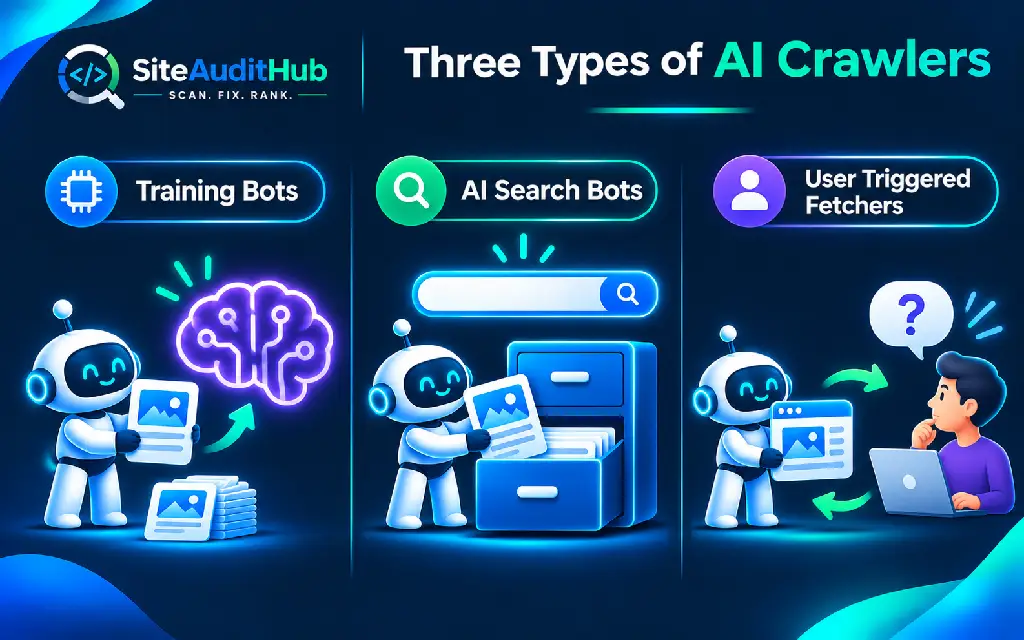
Not every AI bot does the same job, and this is the single most important idea in this guide. We group them into three types:
- Training crawlers collect pages that may be used to train AI models. Blocking them keeps your future content out of those training sets.
- AI search crawlers build an index for AI search features, similar to how Googlebot builds Google’s index. Blocking them can remove your pages from AI search answers and the links inside them.
- User triggered fetchers visit a page only when a person asks an AI tool a question that needs it. They behave more like a browser acting for that person than like a crawler.
Most AI companies now run separate bots for these jobs. That separation is what allows you to block AI crawlers that train models while still welcoming the ones that can send visitors.
The AI Crawlers Visiting Your Website
When we check robots.txt files on client sites, we often see rules for bots that no longer matter and no rules for the ones that do. Here are the main AI crawlers worth knowing, grouped by the company that runs them, with what each company says about its own bots.
OpenAI: GPTBot, OAI-SearchBot and ChatGPT-User
OpenAI runs three separate agents, and its official crawler documentation explains each one. GPTBot crawls content that may be used to train OpenAI’s foundation models, and disallowing it tells OpenAI your content should not be used for that training.
OAI-SearchBot is the one that surfaces websites in ChatGPT’s search features. OpenAI states that sites which opt out of it will not be shown in ChatGPT search answers, and it recommends allowing it. The two settings are independent, which means you can block GPTBot and still appear in ChatGPT search.
ChatGPT-User visits a page when a user asks ChatGPT something that needs it. OpenAI notes that because a user starts these visits, robots.txt rules may not apply to them.
Anthropic: ClaudeBot, Claude-SearchBot and Claude-User
Anthropic follows a similar three part setup, described in its help article on how it crawls the web. ClaudeBot collects web content that could help train Anthropic’s models. Blocking it in robots.txt keeps your future content out of those training datasets.
Claude-SearchBot crawls the web to improve search results for Claude users, and blocking it means your content will not be indexed for that search. Claude-User visits pages when someone asks Claude a question that requires them, and blocking it stops Claude from retrieving your content for those questions, which may reduce your visibility.
Google: Google-Extended
Google handles AI differently. It does not run a separate AI crawler. Instead, its list of Google crawlers describes Google-Extended as a product token that controls whether content Google has already crawled may be used to train future Gemini models and for grounding in Gemini Apps and Vertex AI.
The part that matters most for your traffic: Google states that Google-Extended does not affect a site’s inclusion in Google Search and is not used as a ranking signal. Blocking it will not remove you from normal Google results. Never block Googlebot itself, since that is the crawler behind Google Search.
Perplexity: PerplexityBot and Perplexity-User
Perplexity is a search focused AI tool, and its bot documentation says PerplexityBot surfaces and links websites in Perplexity’s search results and is not used to crawl content for AI foundation models. Perplexity recommends allowing it.
Perplexity-User handles actions started by a user, such as visiting a page to answer a question and linking to it. Because a person asked for the visit, Perplexity says it generally ignores robots.txt rules.
Apple and Common Crawl: Applebot-Extended and CCBot
Apple’s Applebot-Extended guide explains that Applebot-Extended does not crawl pages itself. It lets you opt out of having content that Applebot already crawled used to train Apple’s generative AI models. Apple says blocking it does not affect Spotlight, Siri or Safari, and those pages can still be included in search results.
CCBot belongs to Common Crawl, a non profit that builds an open archive of web data that anyone can access and analyse. That archive is widely used in research, including AI work, which is why many sites that block AI training also block CCBot.
Should You Block AI Crawlers at All?
Site owners ask us this question often, and our honest answer is that it depends on how your website makes money. There is no single right setting for everyone.
Blocking training crawlers makes sense when your content is your product. News sites, paid course creators, recipe blogs, research publishers and anyone whose income depends on people reading original work on their own site have good reason to keep it out of training data. Training crawlers also use server resources without sending visitors in return.
Allowing AI search crawlers makes sense for almost every business that wants to be found. Local businesses, online stores, agencies and service providers usually want their name, products and answers to appear when someone asks an AI tool for a recommendation. Blocking AI search bots can hand those mentions to your competitors.
For most business websites, we suggest a middle path: block the training crawlers, allow the AI search crawlers, and never touch Googlebot or Bingbot. That keeps your content out of training sets while keeping the door open to AI search traffic.
How robots.txt Works for AI Bots
Every website can have a plain text file at yourdomain.com/robots.txt. It contains groups of rules, and each group starts with a User-agent line naming the bot, followed by Disallow lines for the paths it should not visit and, if needed, Allow lines for exceptions.
A slash on its own after Disallow means the whole site. A rule like “Disallow: /members/” blocks only that folder. A group for “User-agent: *” applies to every bot that does not have its own group, which makes it the most dangerous line to get wrong.
Keep one important limit in mind. robots.txt is a request, not a lock. Well known AI companies say their crawlers respect it, but nothing technically forces a bot to obey, and user triggered fetchers may not follow it at all. If you need to keep content truly private, put it behind a login or block the bot at the server or firewall level.
A badly written robots.txt can also hide your site from Google by accident. If your pages have dropped out of search after editing this file, our guide on why a website is not showing on Google walks through how to find and fix that kind of block.
How to Block AI Crawlers With robots.txt: Step by Step
Changing robots.txt takes about fifteen minutes on most sites. Make a copy of your current file before you edit anything, in case you need to undo a change, and keep your live file open in a browser tab while you work.
Step 1: Find Your Current robots.txt File
Type yourdomain.com/robots.txt into your browser to see the file Google and other bots currently read. Copy its contents somewhere safe.
On WordPress, the file is often virtual, which means WordPress creates it on the fly and you will not find it on the server. Rank Math and Yoast SEO both include a robots.txt editor in their settings, which is the easiest way to change it. If a real robots.txt file exists in your site’s root folder, it takes priority, and you can edit it through your hosting file manager. On Shopify, robots.txt is edited through a theme template called robots.txt.liquid.
Step 2: Choose Which Bots to Block
Decide your approach before writing any rules. Most business sites choose to block training bots while allowing AI search bots, and that is the setup the example rules use.
Write down the exact bot names you plan to block. A typo in a bot name means the rule silently does nothing, since bots only follow groups that match their own name.
Step 3: Add the Rules to Your File
To block AI crawlers used for training while keeping AI search and normal search open, add these groups to your robots.txt file:
# Block AI training crawlers
User-agent: GPTBot
Disallow: /
User-agent: ClaudeBot
Disallow: /
User-agent: Google-Extended
Disallow: /
User-agent: Applebot-Extended
Disallow: /
User-agent: CCBot
Disallow: /
Then make your choice to allow AI search bots clear. Bots without their own group follow your “User-agent: *” rules, but naming them removes any doubt:
# Allow AI search crawlers
User-agent: OAI-SearchBot
Allow: /
User-agent: Claude-SearchBot
Allow: /
User-agent: PerplexityBot
Allow: /
If you only want to keep AI bots out of one section, such as paid lessons or a members area, block just that folder and leave the rest open:
User-agent: GPTBot
Disallow: /members/
Disallow: /courses/
Leave your existing rules for “User-agent: *” and your Sitemap line in place. Add the new groups as separate blocks, with a blank line between each group to keep the file easy to read.
Step 4: Test the File Before You Relax
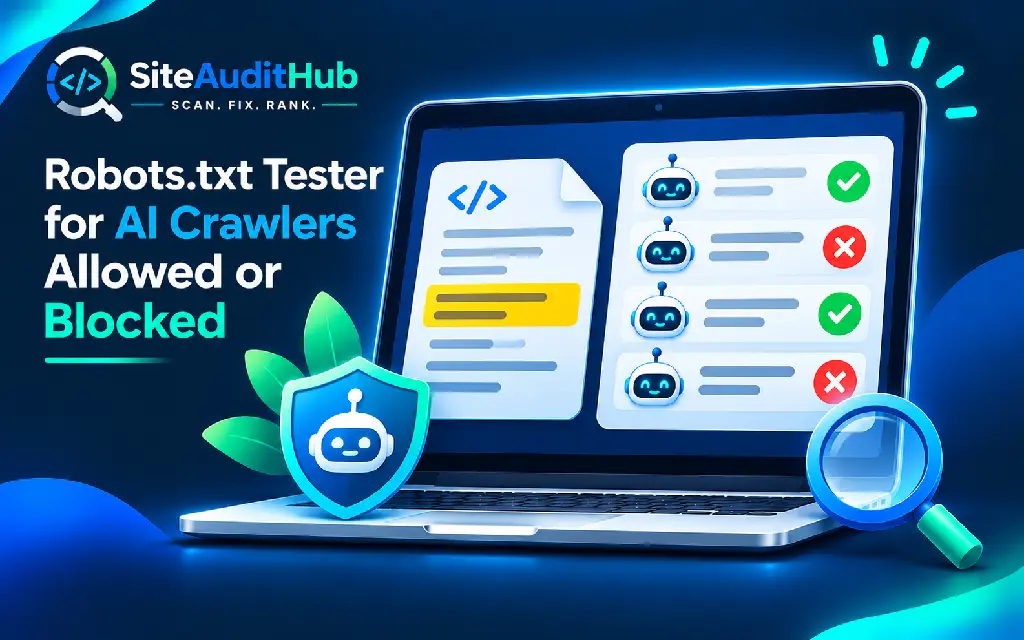
One wrong line in robots.txt can block Google from your whole site, which makes testing the most important step. Our free robots.txt tester checks whether a URL is allowed or blocked for Googlebot, Bingbot, GPTBot, CCBot or any other crawler you name, and highlights the exact rule that made the decision.
Test at least three things: that Googlebot can still reach your homepage and key pages, that the training bots you blocked now show as blocked, and that the AI search bots you want are still allowed. The same tool also flags common mistakes, such as a blanket block for all crawlers or a missing Sitemap line, and it can generate a new robots.txt with a preset for AI training crawlers if you would rather start fresh.
Step 5: Watch Your Server Logs
After a week or two, check whether the bots are behaving. Your hosting panel or a log viewer can show which user agents visited your site and which pages they requested. If a bot you blocked keeps requesting pages, it may be ignoring robots.txt or pretending to be something it is not.
For bots that ignore your rules, move the block to the server. Many hosts and services like Cloudflare let you block specific user agents at the firewall, which stops the request before it reaches your site. Some fake bots copy the names of real ones, which is why large AI companies publish lists of the IP addresses their crawlers use.
What Changes After You Block AI Crawlers
Site owners often expect an instant result, then worry when nothing seems to happen. The effect of a robots.txt change depends on the bot and on how often it rereads your file.
Training crawlers stop collecting new pages once they read your updated rules, but anything they gathered before stays in existing datasets. Search bots take a little time to adjust. OpenAI, for example, says that changes for OAI-SearchBot can take about 24 hours to take effect. Other companies do not always publish a timeline, which makes it sensible to wait a week or two before judging the result.
Your Google traffic should not change at all, as long as Googlebot remains allowed. If you notice a drop in Google traffic in the days after editing robots.txt, treat it as a sign that a rule is catching Googlebot and test the file again straight away.
AI search visibility is harder to measure than Google rankings, because AI answers change from one question to the next. A simple check is to ask ChatGPT, Claude and Perplexity a few questions your customers would ask, such as the best service of your kind in your city, and note whether your site appears as a source. Repeat the same questions every month and you will see whether your visibility is holding steady.
How to Track Traffic From AI Search
Allowing AI search bots is only worth it if those tools actually send visitors, and you can check this in the analytics you already use.
In Google Analytics 4, open the Traffic acquisition report and look at the session source. Visits from AI tools usually show up with sources like chatgpt.com, perplexity.ai, claude.ai or gemini.google.com. Links from ChatGPT search often also carry a tag such as utm_source=chatgpt.com, which makes them easy to filter.
Create a simple filter or exploration that groups these sources together, then compare the numbers month by month. Look at which pages AI visitors land on and how long they stay. These visitors often arrive with a specific question already in mind, which makes the landing page’s answer and its next step especially important.
If AI search sends you meaningful traffic, keep those bots allowed and keep improving the pages they land on. If it sends almost nothing after several months and your content is your main product, you can revisit the decision with real numbers in hand rather than guesses.
Which AI Crawler Setup Fits Your Website?
Use this table to match your situation to a setup. Each option keeps Googlebot and Bingbot fully allowed.
| Your situation | Block | Allow |
|---|---|---|
| Business site that wants AI visibility (most stores, agencies, local services) | GPTBot, ClaudeBot, Google-Extended, Applebot-Extended, CCBot | OAI-SearchBot, Claude-SearchBot, PerplexityBot |
| Publisher or creator whose content is the product | All training bots plus AI search bots on paid sections only | AI search bots on free pages |
| Happy for AI to learn from your content | Nothing | All AI crawlers |
| Members area or private files | Every bot on those folders, plus a login | Public pages as usual |
Common Mistakes When Blocking AI Crawlers
Most problems we see after an AI blocking change come from rushing. These are the ones to watch for.
- Blocking Googlebot by accident. A copied rule or a wildcard group can catch Googlebot and remove your site from Google Search. Always test Googlebot after editing.
- Blocking every AI bot at once. Blocking OAI-SearchBot, Claude-SearchBot or PerplexityBot can remove you from AI search answers that would have linked to your site.
- Misspelling bot names. “GPT-Bot” or “Claudebot-Search” match nothing, and the rule quietly does nothing.
- Treating robots.txt as security. It does not hide private files. Anything sensitive needs a login or server rules.
- Listing private folders in robots.txt. Anyone can read the file, and naming a hidden folder there tells people where to look. Our website security audit checklist covers how to keep that kind of path private.
- Never reviewing the list. AI companies add and rename bots over time, which makes a yearly check of your rules worthwhile.
Frequently Asked Questions
Will blocking AI crawlers hurt my Google rankings?
Blocking AI training crawlers like GPTBot or ClaudeBot does not affect Google Search. Google also states that blocking Google-Extended does not affect inclusion in Google Search and is not a ranking signal. Only blocking Googlebot itself would remove your pages from Google.
Can I block GPTBot and still appear in ChatGPT search?
Yes. OpenAI treats GPTBot and OAI-SearchBot as separate settings. You can disallow GPTBot to opt out of model training and allow OAI-SearchBot, which is the bot that surfaces websites in ChatGPT search answers.
Do all AI bots respect robots.txt?
The major AI companies say their crawlers follow robots.txt, but robots.txt is voluntary and cannot force any bot to obey. User triggered fetchers such as ChatGPT-User and Perplexity-User may not follow it, since a person asked for the visit. Use server or firewall rules for bots that ignore it.
Does blocking AI crawlers remove my content from AI models that already trained on it?
No. Blocking a training crawler stops future crawling, but it does not remove content that was collected before you added the rule. It only affects what the bot can collect from that point on.
How often should I update my AI crawler rules?
Check your rules at least once a year and whenever you hear that a major AI company has launched or renamed a crawler. Test the file again each time you change it.
Is llms.txt the same as robots.txt?
No. robots.txt tells bots which pages they may visit. llms.txt is a separate, proposed file that lists pages you want AI tools to read. It does not block or allow anything, and support for it among AI companies is still limited.
Protect Your Content Without Disappearing From AI Search
AI crawlers are not one group to fear or welcome as a whole. Training bots and AI search bots do different jobs, and treating them differently is what lets you protect your work while staying visible where more people now look for answers.
Spend fifteen minutes this week on your robots.txt file. Decide which bots to block, add the rules, and test the result before you close the tab. Then add a yearly reminder to review the list, since the names on it will keep changing.
Before saving any change, run your new rules through our free Robots.txt Tester. It shows you, bot by bot, who can reach your pages, which takes the guesswork out of a file that can quietly decide who sees your site.